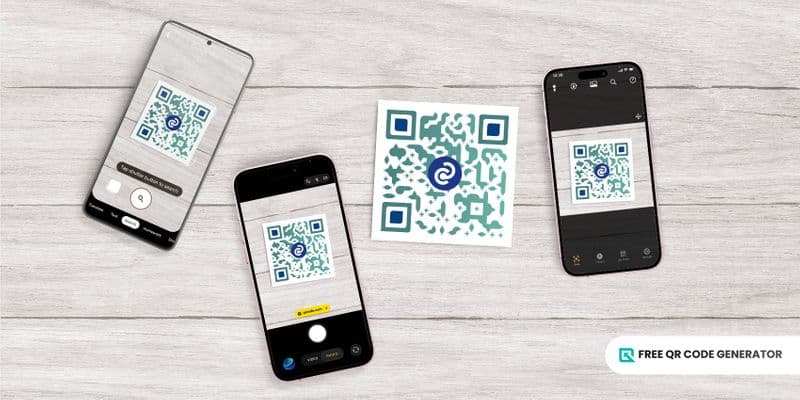
In a world where QR codes are being used for anything everywhere, the key to accessibility is the right QR code scanner.
Whether you’re decoding a product’s price or accessing a digital menu, it’s time to ditch the struggle and start scanning smarter.
Keep reading to find out how to choose the right scanner and scan effortlessly.
Table of Contents
What is a QR code scanner?
A QR scanner is a device or software, often built into a smartphone camera, that reads the black-and-white square patterns of a Quick Response (QR) code, often created on a free QR code generator software.
It decodes the patterns to instantly retrieve the embedded information, such as a website URL, text, contact details, or payment data, and displays it in a readable or actionable format on your device.
Types of QR scanners
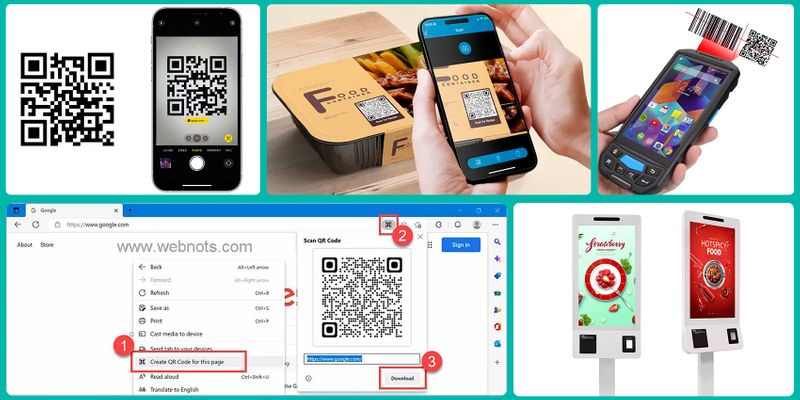
There are numerous types of QR scanners available today. Depending on your needs, you can use a common scanner on your phone or a specialized device.
- Built-in Camera: Smartphones now come with a built-in QR scanner in their camera app. They offer instant access without any additional downloads.
- Mobile Apps: QR scanners which appear in the form of mobile applications often offer advanced features like history tracking, flashlight support, and multi-code scanning.
- Web-based scanners: These code scanners online lets users scan or upload codes directly through their browser.
- Hand-held scanners: As the name suggests, these scanners can be held in your hand. They are portable gadgets ideal for retail, logistics, and event management, offering fast and accurate scanning of large code volumes.
- Fixed scanners: Mounted in kiosks, self-checkout counters, or access gates, fixed scanners automatically read QR codes for seamless, hands-free operations.
Native QR code readers
Android OS and iOS smartphones, tablets, and some laptop models have native scanners that let you immediately scan QR codes anytime, anywhere.
How to scan QR codes using this QR readerss? Check out below:
Android device

You can easily scan a QR code with Android phones following these steps:
1. Open your camera app.
2. Point it at the code on a print ad, screen or other external object with a code.
3. Pause for the app to automatically detect the code.
If the scanning is successful, a notification with the relevant details will pop up. You can also access a QR scanner via your Quick Settings menu on an Android phone:
1. Swipe down from the top of your screen.
2. Tap the QR scanner icon.
3. Point your phone’s camera at the code.
iOS device
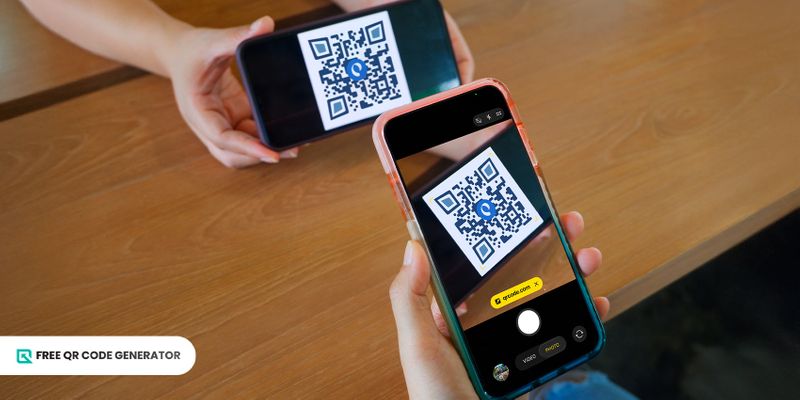
If you need to scan a QR code iOS:
1. Open the Camera app or Code Scanner on your device
2. Open the Camera app from the Home Screen, Lock Screen or Control Centre or from the Camera Control on supported models.
3. Open Control Centre and tap the Scan Code button .

4. Hold your device so that the QR code appears, then tap the link to open the content.
Note: If you want to scan a QR code with iOS 26, the new iPhone 17 series makes scanning faster and more accurate.
Laptop
You can also scan a QR code on laptop and PC.
In Microsoft Windows 10 and 11, you can use the Camera app, which is included with your operating system. To find this application:
1. Open the Start menu and search for “Camera”.
2. Hold your QR code in front of your webcam and click the QR code button.
If you use a Mac, then you will need a third-party scanner for PC since macOS does not have a built-in camera application capable of scanning QR codes.
The free application QR Journal, which you can download in the Mac App Store, is capable of scanning QR codes by allowing it to access the webcam.
QR code scanner apps to download
There are QR codes that other native phone scanners have a hard time reading due to design complexity. Free QR code generator and scanner apps are great alternatives in case scanning issues like this happen.
The following applications are our top recommendations for seamless mobile scanning:
1. Google Lens
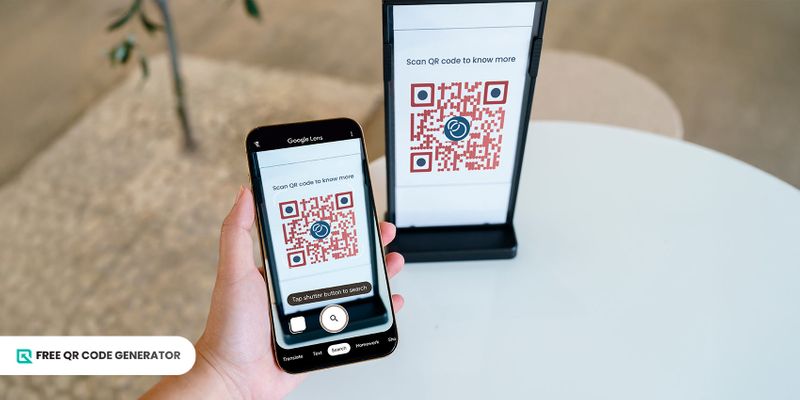
Smartphones now come with the Google Lens scanner for QR code built into their camera app, which allows users to simply point and scan.
The Google QR scanner is especially useful for casual users who want a quick scan without downloading an extra app. Since this application is in-built in smart phones, it makes it easier to use.
Follow these steps to use this app from Google to scan QR codes:
1. Open the camera app of your smartphone device.
2. Click on the lens and let the camera scan the QR code.
3. Tap the pop-up link to open the content.
2. QR TIGER
QR TIGER is a powerful free generator and scanner app. It is well modelled to overcome the challenges normally faced while using a smartphone’s built-in QR scanner.
The app allows you to create free, customizable QR codes with logos, colors, and unique patterns, while also offering unlimited scanning and detailed scanning history log.
This makes it ideal for marketers, event organizers, or businesses looking to merge QR code creation and tracking in one platform.
Its website also lets you decode or scan QR codes online. Which means that you don’t have to install an app for using its QR decoder. The platform ensures convenience and versatility across devices.
3. Kaspersky
If you want an app that prioritizes security, Kaspersky QR Scanner is an excellent choice.
Developed by the cybersecurity company Kaspersky, this is a scanner for Android and iOS.
Every time you scan a QR code, the app automatically checks the destination URL for potential threats like phishing, malware, or fake websites before opening it.
4. QR & Barcode Scanner by Gamma Play
QR & Barcode Scanner is known for being lightweight, fast, and capable of reading both QR codes and traditional barcodes.
This platform can scan contact information, Wi-Fi passwords, URLs, and even product details in seconds.
However, the free version of this solution includes ads, but it remains one of the most downloaded scanners on Google Play due to its simplicity and reliability.
If you choose this solution and prefer an ad free version, you will have to opt for a premium subscription.
5. TrendMicro’s Safe QR Code Reader
Is security your biggest concern? Then TrendMicro’s Safe QR Code Reader is the platform for you.
Since this platform is developed by the cybersecurity company Trend Micro, this app scans QR codes while also checking the embedded URLs for potential threats, such as phishing or malware.
Furthermore, this solution blocks suspicious links and alerts the user before redirecting them to any unsafe page.
The platform’s official blog remarks that this security layer helps users avoid the growing number of QR-based scams reported globally.
QR code scanners online
There are numerous online scanner websites available. Some of these are also dedicated QR generators, allowing you to create and decode QR codes in one web platform.
1. Free QR Code Generator
This is a QR code maker platform that is free to use. You can use it to extract the destination URLs behind the codes.
To decode the QR, follow these steps:
1. Open the Free QR Code Generator on your browser.
2. Click “Upload QR code image to extract URL”.
3. Locate the QR code file from your folders.
4. Copy the extracted link.
5. Paste the link to the search bar on a new tab to access the content.
2. QRSnip
QRSnip is a simple QR scanner online that works directly from your browser.
To decode the QR, follow these steps:
Visit qrsnip.com.
Click “Upload QR Code Image.”
Select the QR code file from your device.
Wait for the platform to extract the content behind the code.
Copy the decoded link and paste it into your browser to view the page.
3. QRCodeRaptor
QRCodeRaptor is another web-based QR scanner. It is a handy online solution which allows you to scan the QR code directly using the camera, through an image and decoded text.
To decode the QR, follow the steps for each method below:
With camera:
1. Open QRCodeRaptor.
2. Refresh the page and the camera will restart or click scan by camera button.
3. Point towards the QR code and scan it.
Through image:
1. Open QRCodeRaptor.
2. You can upload a QR code image using the browse feature or drag & drop.
3. You can also paste a QR code image from your clipboard by pressing "CTRL + V" or by clicking the "Paste Image" button.
Through decoded text:
1. . Open QRCodeRaptor.
2. After decoding the QR code, you will see relative results such as text, website URLs, email details, product codes, WiFi details etc.
3. If you want to copy raw text to your clipboard, click the "Copy" button.
4. You can also copy WiFi passwords, URLs, and product codes by clicking their respective copy buttons.
5. Paste the copied text on the scanner dashboard to access it.
Handheld QR scanners to use in retail
There is an array of handheld QR scanners in the market. Mentioned below are some of them worth checking out.
1. Helett HT20 Wireless 2.4GHz 2D and1D QR code barcode scanner
The Helett® HT20 Wireless Barcode Scanner is a reliable, easy-to-use tool for scanning barcodes in retail, warehouses, logistics, and offices. It quickly reads both 1D and 2D barcodes like QR with high accuracy.
With a wireless range of up to 50 meters, you can move freely without staying close to your computer.
This scanner is easy to set up. Just plug in the USB receiver, no extra software needed. Made from durable yet lightweight materials, the HT20 is built for daily use and comfortable handling.
It also works with Windows, Mac, and Linux systems, making it a flexible choice for any workspace.
2. Zebra DS2278 handheld scanner
The Zebra DS2278 Cordless Scanner offers reliable 1D and 2D barcode scanning at a great value, making it ideal for retail, restocking, and point-of-sale operations.
It’s powered by the Zebra DNA software suite, which simplifies setup, boosts performance, and makes device management easier.
Users can further enhance productivity with compatible accessories such as power supplies, battery packs, mounts, and holsters. The scanner has available options for industrial or retail environments, and can be powered via host or external power.
It pairs seamlessly with Zebra handheld computers and ET series tablets, providing a complete, long-lasting scanning solution.
3. Honeywell Voyager Xenon XP 1950GSR 2D barcode scanner
The Honeywell Voyager barcode scanner is a dependable, high-performance device built to handle both routine and challenging scanning tasks.
Designed for speed and accuracy, it easily reads poorly printed or damaged barcodes such as helping cashiers serve customers faster and reducing checkout delays.
Compatible with various scanners and powered through battery, corded electric, or solar options, it offers flexible operation in any setup.
It integrates seamlessly into POS systems and retail environments and has USB connectivity.
The Voyager is built for reliability, maintaining performance even under tough conditions, and can be stored safely at temperatures up to 300 K (27°C).
It is a trusted choice for retail, logistics, and office use.
Fixed QR scanner devices
In case you need heavy duty QR scanners, the following mounted scanners are worth checking out.
1. Zebra DS9300 Series
The Zebra DS9300 Series is a high-performance fixed-mount scanner designed for fast, hands-free reading of both 1D and 2D barcodes, including QR codes, making it perfect for retail environments.
Its compact design allows installation in tight spaces, while omnidirectional scanning ensures quick and accurate reads from any angle.
Built with durable construction, the DS9300 can withstand daily use in busy settings. It is commonly used in point-of-sale systems, self-checkout kiosks, and ticketing systems, providing reliable and efficient scanning for high-traffic operations.
2. RTscan RT240
The RTscan RT240 is a versatile fixed-mount scanner built for high-speed reading of 2D barcodes, and QR codes, making it well-suited for industrial and logistics applications.
It features high-resolution imaging for precise scanning and offers multiple interface options for easy integration into existing systems.
Its compact and rugged design ensures reliable performance even in demanding industrial environments.
The RT240 is commonly used for warehouse management, assembly lines, and inventory control, providing efficiency and accuracy for high-volume operations.
3. Rakinda RK4000
The Rakinda RK4000 is an industrial-grade fixed-mount scanner engineered for high-speed QR code reading in demanding environments.
It features a high-resolution CMOS sensor for precise and reliable scanning, and its IP65 rating provides dust and water resistance, making it suitable for harsh conditions.
The scanner supports multiple interfaces, including USB and RS232, for seamless integration with various systems.
It is ideal for manufacturing lines, logistics operations, and quality control processes, delivering consistent performance in high-volume and challenging settings.
What to look for in a QR scanner: A checklist
There are numerous free QR scanners available as a mobile app or online. A wide range of brands also offer different kinds of hardware. With a variety of choices, it is important to choose wisely.
Listed below are some parameters to consider while choosing the scanner.
1. Compatibility
Before downloading the application, make sure it’s compatible with your device and operating system.
You might have to download an application to use a QR scanner or some might only work on a mobile phone and not a PC.
For businesses, make sure to check the scanner device’s compatibility with your inventory or warehouse system before buying the hardware.
A tool that is more compatible will be useful for you.
2. Added features offered
Before selecting the tool to use, ask yourself this question: “Will this solution work for me”?
Will you be using the scanner for your daily purpose or should it fit your professional needs?
Many non-expiring QR code generators let you encode WiFi details into a WiFi QR code so users can connect without typing credentials.
If you want to access such QR codes, you will have to select a good scanning solution. Understand the features of these solutions, go through the reviews, and make a decision.
3. Scanning history
Some brands customize QR code based on their branding. If you need the information of a particular brand, then certain scanners can help you with the history.
Some scanners store the scanning history. Every QR code you scanned before will be available in its backend storage.
On a professional level, this will save time and support better workflow organization. Some advanced tools even allow exporting scan data for reporting or analytics.
4. Offline/lowlight
Not all scanning environments are perfect. Sometimes poor lighting will restrict the scanner from accessing the QR code. That’s where offline and low-light scanning support becomes crucial.
Apps with built-in flashlight features or image-recognition technology can accurately decode QR codes even in dim conditions.
Likewise, offline functionality lets you scan codes without immediate connectivity and access results once online.
5. Privacy and security
Security should always come first when choosing a QR scanner app.
It’s common to convert any URL to QR code using generators. This encodes the link so scanning it opens the webpage automatically.
Some malicious QR codes can redirect users to phishing or malware-infested websites, putting personal or business data at risk. Hence, scanners with built-in safety checks are a must.
Also, it’s important to review the app’s privacy policy. Ensure it doesn’t store or sell your scan data to third parties.
Scan smarter: Use the best scanner for QR codes
With so many QR scanners available today, the key is to find one that truly fits your purpose.
Whether you need a simple app for quick scans or an advanced free QR code generator that also tracks and customizes your codes, your choice should align with your goals.
A reliable scanner not only improves convenience but also ensures security and efficiency in every scan.
Take the time to explore your options and choose a QR code scanner that keeps you connected.
FAQ
1. How do you scan a QR code from an image?
To scan a QR code from an image already saved on your phone, you can use your gallery’s built-in scanner or an app.
Simply open the app or your camera’s “Scan QR code” feature, then choose the option to upload an image instead of using the live camera.
2. Where is the QR scanner on my phone?
Just open your camera, point it at a QR code, and wait for a link or notification to pop up. If your phone doesn’t automatically scan, check your control center or quick settings for a “Scan QR code” option.
3. Do all phones have a QR scanner?
Almost all modern smartphones come with a built-in scanner for QR codes. Android devices (Android 9 and above) and iPhones (iOS 11 and newer) can scan QR codes directly using the camera.