
Have you ever had issues scanning QR codes? One moment, a QR code is active and working, the next it’s not. It’s a stressful experience that leaves people never wanting to use a QR code again.
Don’t let this happen to you: rely on a free QR code generator with no expiration to keep your codes active and give users the best experience at all times.
And before you head and generate a free QR code that doesn’t expire, here’s a quick guide on how it works.
Table of Contents
How long does a QR code last before it expires?
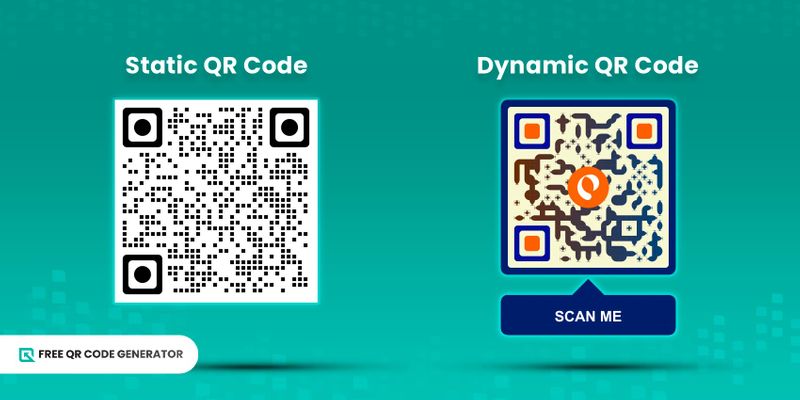
Expiration depends on the kind of QR code you’re using. A static QR code is one that never expires and permanently stores data. It is also free and most of the time does not require you to sign up for a website.
On the other hand, a dynamic QR code has an expiry feature to let you set the availability of your QR code. After the time set, the QR code content will no longer be viewable.
Websites commonly require you to sign up or buy a plan to generate a dynamic code. It comes with other perks aside from expiry setting, such as campaign tracking, editability, and password protection.
Quick summary of generators for permanent QR codes
| QR Software | QR Code Solutions Available | Account Required | Customization | Free Download | File Formats | Best For |
| Free QR Code Generator | 13 | ❌ | ✅ | ✅ | PNG/SVG | Every day use, small businesses, and brands |
| Adobe | 1 | ❌ | ✅ | ✅ | PNG | Branding + quick designs |
| Canva | 1 | ✅ | ✅ | ✅ | PNG | Designers & social graphics |
| Tec-IT | 11 | ❌ | ✅ | ✅ | PNG/SVG/EPS/PDF | Developers & print production |
| Figma | 6 | ✅ | ✅ | ✅ | Depends on the plugin | UI/UX & product design |
5 free QR code generators with no expiration for 2026
Here are the top free QR code makers you must try in 2026:
1. Free QR Code Generator
Free QR Code Generator is a 100% free platform. It creates non-expiring QR codes for everyday use, whether for personal or business purposes. As of writing, it offers 13 QR code solutions for free.
You’re not required to create an account. Upon generation, you can customize your QR code and download it for free in PNG or SVG file format.
2. Adobe Express
You can turn any URL to QR code using this free QR code builder. Compared to the previous platform, which offered more customization options, Adobe is better suited for basic QR code generation due to its limited customization features.
One advantage is that there are several download formats: PNG, JPG, and SVG.
What also makes the Adobe QR code generator great is that you can open it in Adobe Express for immediate attachment to designs.
3. Canva
Like Adobe, the Canva QR code generator also converts links to QR codes directly in the Canva app. The good thing about this is that you can add your newly created QR code to a new or existing design right away, which makes it reliable for designers.
QR code Canva offers minimal customization to frame colors and frame style only. The very QR code itself—pattern style, foreground, and background color—stays the same.
If you'd like more options, you can always opt to integrate a third-party generator. Just be prepared to pay extra.
4. Tec-IT
Tec-IT is one of the few free generators that offer multiple free QR code solutions. It has 11 QR solutions, and the generation phase is pretty easy. Upon adding all the details, the QR code is generated right on the spot—no other buttons to click.
While this may seem convenient, it could also lead to confusion because there is no indication whether the QR code already contains the data you’re trying to embed. However, a test scan will always tell you whether the QR code works.
Unlike the first QR code makers, Tec-IT's QR codes can’t be customized.
5. Figma
Figma’s static QR code generator also lets you generate QR codes that never expire; it currently offers six solutions with a pretty decent range of customization options.
After generating the QR code, you may easily attach it to your Figma designs by clicking on the ‘Get QR Code’ button, where your QR code is automatically saved.
Guide to using a static QR code generator
Here’s a step-by-step guide on how you can generate a QR code that does not expire:
1. Go to the Free QR Code Generator website.
2. Choose a QR code solution that you want to use.
3. Add in the required data, whether a link or a file.
4. Select “Static QR code.”
5. Then click the “Generate the QR code” button
6. Customize your QR code's look. You don’t have to settle for the usual black-and-white.
7. Perform a test scan on your QR code to ensure it’s working.
Why use a QR code generator that never expires
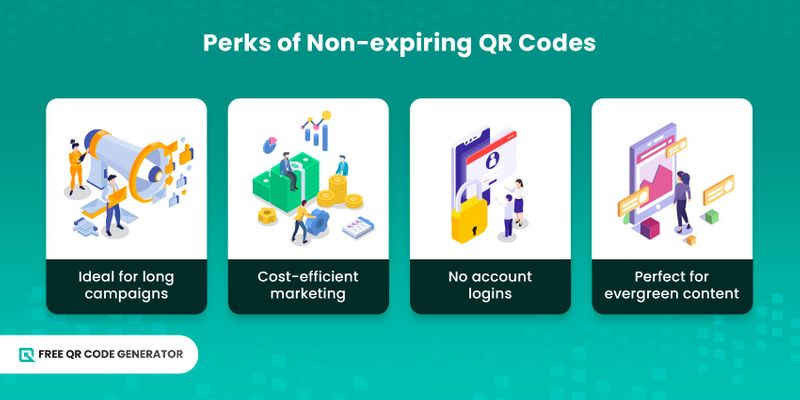
There are various reasons to generate a static QR code, and if you’re still battling whether or not to get one, check out the benefits below:
- Ideal for long-running projects: For campaigns that are meant to last, non-expiring QR codes are best because they remain active for months and even years.
- Supports sustainability: Using QR codes with no expiry on materials helps your company be more sustainable and focus on clear, green practices as part of your corporate social responsibility goals.
- Cost-efficient marketing: A non-expiring QR code avoids the cost of availing subscriptions. They are free, so you can generate them without worrying about hidden fees.
- No account logins: Most free QR code makers don’t need you to create an account in order to generate a QR code, which is top-tier convenience! It only takes under 30 seconds to make.
- Perfect for evergreen content: Static QR codes are great for information that should always remain accessible—information that doesn't need updates and is applicable in the long term.
Use the best free QR code generator for you
There are many free QR code generators with no expiration, but only a few are reliable. Thus, your choice must be the one that resolves your problems.
Check out the features you can work with before officially making the choice. QR codes are supposed to make your projects better, as well as your pockets.
Whichever on our lists resonates with you, we highly encourage you to check them out personally and see which fits best.
FAQs
Does Google have a free QR generator?
Yes, a Google QR code generator exists; it’s built into the browser. To access: Go to the website you want to share, click the "Share" icon (or click the 3 dots button), and select "Share” then “Create a QR code.”
What are common QR code mistakes to avoid?
Common mistakes that lead to scanning problems include a blurry QR code and incorrect design, such as inverted colors (dark background and light pattern). You should also avoid mismatched content and CTAs.