
A YouTube QR code is a kind of quick-response code specifically for content hosted on the video-sharing platform.
With billions of videos on the website, using a free QR code generator is a practical choice to create a code that directs your audience straight to your channel and videos, helping increase your views, engagement, and subscribers.
This article covers everything you need to know about this sharing method, from the creation process down to its benefits and use cases.
Table of Contents
- How do I get a YouTube QR code?
- Dynamic vs. static: Which type of QR code to use for YouTube?
- What are the uses of turning a YouTube link to QR code?
- What are the benefits of using a QR code for YouTube video?
- Upgrade your YouTube engagement with a non-expiring QR code generator
- Frequently asked questions
How do I get a YouTube QR code?
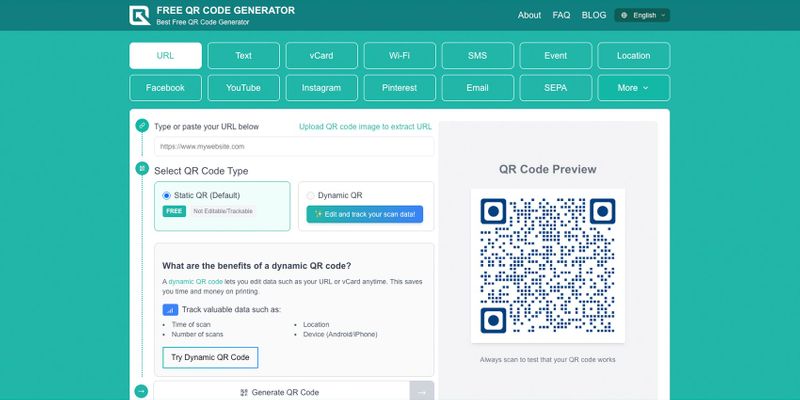
To get a QR code for your content on YouTube, whether it’s your channel, video, or playlist, do the following steps:
1. Visit a free QR code maker online.
2. Select the YouTube option.
3. Copy the URL of your YouTube content and paste it under the required field.
4. Generate the QR code and customize its color, frame, and logo.
5. Scan your QR code to test it before downloading and printing.
Dynamic vs. static: Which type of QR code to use for YouTube?
A couple of terms you can encounter when trying to create a YouTube URL QR code are “dynamic” and “static.” These words refer to the kind of QR code the software will generate.
A static QR code is the type that embeds the actual information in the barcode’s data modules. This results in a simple QR code meant for permanent links to online content.
On the other hand, a dynamic QR code is the type that embeds a short URL instead. This shorter URL directs scanners to the actual information being shared.
This allows dynamic QR codes to be edited after you generate them. You can also track them, protect with a password, give a time limit, and much more.
The type of QR code you use depends entirely on your needs and ability to maintain your codes.
Static QR codes are best used when you expect your content to remain unchanged for a long time. Dynamic QR codes, on the other hand, are used when your QR code is a key component of your services or marketing efforts in both the present and the future.
What are the uses of turning a YouTube link to QR code?
Because they can store any URL effectively, QR codes have several applications for sharing content, particularly on YouTube. Here are a handful of ideas where you can fully use their potential:
Share newly published videos
Gathering views for your newly published YouTube video (whether long or short-form) can seem daunting, especially if you’re still a new creator.
One of the two ways to announce your content and increase its views is to share the public link across social media. The other option is to embed the link into a QR code.
It makes it easier to promote, particularly in offline spaces, since people only need to scan it with their smartphones instead of typing in the URL or the video’s title.
And when using a dynamic QR code, you can do more than just that. Its edit capability lets you swap the content stored in the video QR code with your latest content.
Once you save the changes, the content of the printed QR code copies is also updated, eliminating the need to replace them.
Alongside YouTube Insights, scan tracking informs you about the time and locations of scans, helping you create more curated videos for different cities or cultures and publish them at the most suitable time.
Promote exclusive content
Other dynamic features can make your QR code for YouTube more engaging. Password protection and QR code expiry, for instance, can add exclusivity or a sense of urgency to your content.
For example, you can announce your exclusive content on your social media handles, but only your subscribers receive the password to open the QR code.
Since curiosity and FOMO always prevail, people will likely subscribe to you in order to access the YouTube content that only a few can view.
Direct to a curated playlist
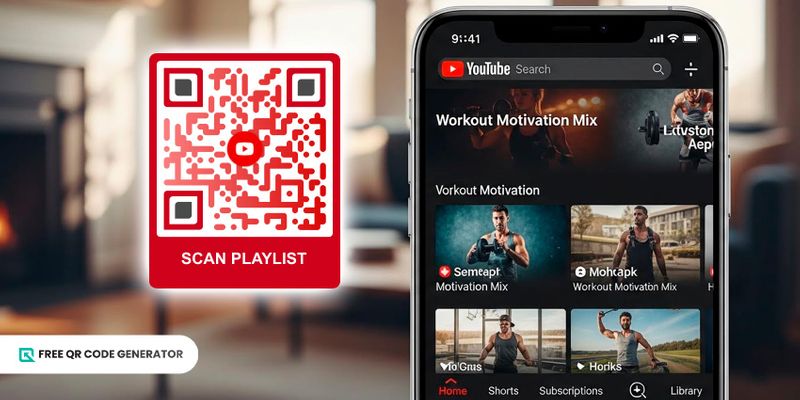
What’s better than using a QR code for YouTube video? Embedding an entire playlist into it!
Just like how you can share the latest exclusive videos, you can do the same for your playlists.
If you have an unlisted playlist, you can make its content only available to others when they scan your QR code. It’s a strategy for driving interactions to your YouTube content.
Of course, you can also do this for public playlists, especially if the videos are helpful to your customers.
Advertise upcoming events
Uploading your event’s teaser to your channel and embedding the YouTube link to QR codes helps promote it to a broader audience.
Rather than using a URL, which is not easily accessible to your audience when it’s printed, storing the YouTube video links in a QR code gives you more options and opportunities to share them with the public.
With clever marketing that centers around your QR code, you can quickly provide your audience with a sneak peek into your upcoming events, inviting them to participate.
Increase brand awareness
Businesses can also use a QR code for YouTube channel to promote their brands and content.
For example, you can embed your video that describes your brand’s identity and goals into a QR code and deploy it through print ads.
It ensures your message reaches your target audience wherever they are and solidifies your presence in the minds of interested consumers.
Additionally, with organized playlists, eye-catching thumbnails, and attention-grabbing video titles, you can effectively convey reliability and consistency, encouraging users to subscribe after scanning the code.
Provide product video straight from the package
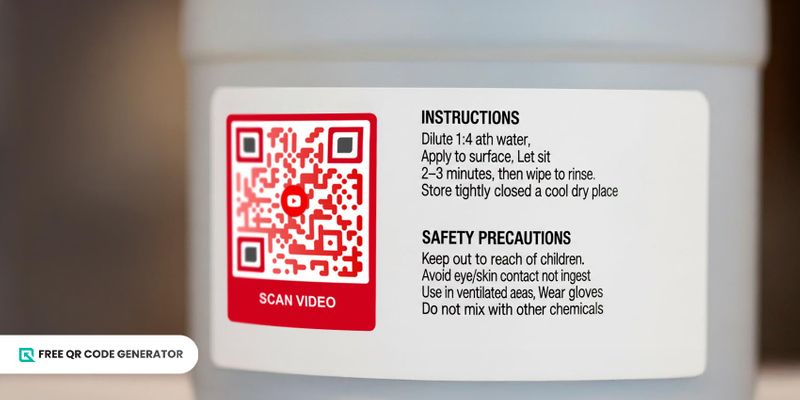
Show a QR code with instructions and safety precautions on the product label of a jug of chemicals
It’s now possible to include informational YouTube videos in product labels using QR codes.
This application of QR codes comes with many perks. For one, a product packaging QR code makes it easy to watch the video straight from the pack.
That means consumers will only need a YouTube QR code scanner, which is typically their smartphone's camera, to view the video.
The second perk is that it saves space on your product labels. You can avoid cluttering your labels with a ton of barely readable text, and instead put the most essential details on them, especially those that are required by regulators.
Create clever and engaging marketing campaigns
Videos are an amazing marketing tool. As of 2025, 89% of businesses use them for marketing purposes.
YouTube is the perfect platform for this, but putting your promotional material isn’t enough to drive views and attention.
Enter the YouTube video QR code. The simplest way to combine QR codes and YouTube is to store your video link in one and print it on your marketing materials.
The next thing is to take advantage of the dynamic QR code and create engaging connections with viewers.
Whether you are applying FOMO tactics or loyalty programs, a QR code always has a place in your campaign.
What are the benefits of using a QR code for YouTube video?
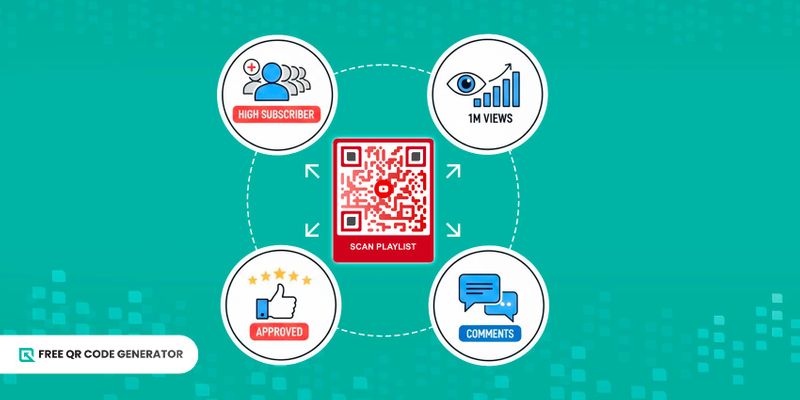
A QR code for YouTube is a versatile tool for any brand, but how else can people benefit from it? There are the obvious advantages, but it actually gets deeper than that.
Improvement of the user experience
QR codes simply improve access to a specific video on your channel. This makes important content easier to access, especially when its QR code is printed on relevant materials, such as a pamphlet or an instruction manual.
From the perspective of your audience, you’ve basically taken care of their needs. This will leave the impression of a brand that prioritizes its users, which can lead to stronger brand loyalty in the future.
Easy method of increasing your subscriber count
Speaking of brand loyalty, QR codes offer more opportunities to increase your channel’s subscriber count.
By linking a YouTube channel QR code, you can direct your consumers to your website, reminding them to subscribe if they haven’t already.
Increased consumer engagement
Another benefit to using QR codes is that, with the right incentive, you encourage users to engage with your content.
Imagine this: you link an exclusive video to a QR code and share it with your customers. To encourage them to watch your video, you can offer a reward if they watch the whole thing and enter their social media handles or other contact details in the comments.
With how accessible QR codes are, you can increase engagement simply by making them available for scanning.
Opportunities for dynamic video marketing
As seen with its many applications, using a YouTube QR generator offers several creative and engaging video marketing opportunities. From basic advertisements to engaging YouTube content, a single QR code can hold them all!
With its dynamic features, your customers will be consuming amazing content and engaging in memorable campaigns. While all of this is happening, your brand gets to learn more about its consumer base, which contributes to future content and marketing efforts.
Additional data for video and campaign performance
The information that comes from a dynamic QR code generator can supplement the data you have on your video and campaign performance.
Data such as time, scan locations, and device type can reveal a great deal about your viewers. This can then be used to optimize future content, whether it will be on YouTube or not.
🚀 Pro-tip: Make it a habit to compare and contrast generators to find your best choice.
Upgrade your YouTube engagement with a non-expiring QR code generator
YouTube is definitely a digital space that brands and creators have to be a part of. While popular websites can and do host videos, none of them do it like YouTube, which is why it holds the top position among video hosting sites.
Include YouTube QR codes in your toolkit to increase viewership, subscriber count, and engagement by bringing your content straight to your audience.
Use the Free QR Code Generator to share your YouTube content for free today.
Frequently asked questions
Where can I find a QR code on YouTube?
To find your QR code on YouTube, view your channel by tapping on the “You” option at the bottom right corner of the app. Look for the menu button (three dots) and select the “Share” option. From there, you should see a QR code option.
How to scan a YouTube QR code?
To scan a QR code for YouTube, open your phone’s camera app and point the lens at the code to be scanned. This will automatically scan the QR code before displaying the link embedded within.
How long is a YouTube QR code valid?
Static QR codes remain valid as long as the YouTube video is available. For dynamic QR codes, they can remain valid for an extended period if the creator allows it by renewing the QR code monthly or annually.