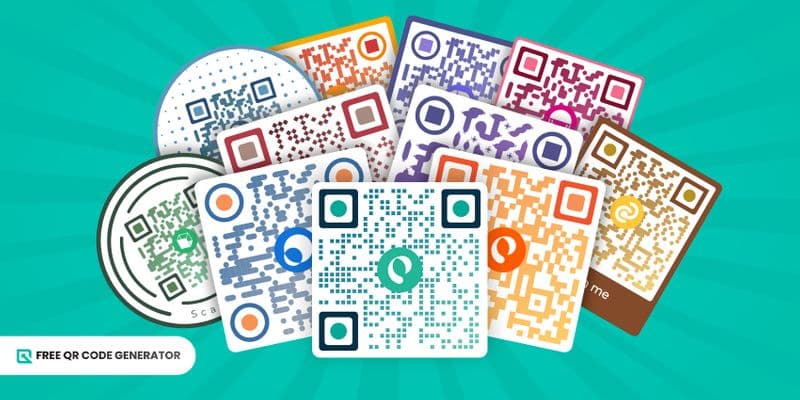
Launching a big campaign? Want to modernize your daily workflow? A QR code is your new best friend.
If you don’t want to be the only one still stuck in the analogue lane, create a QR code for free and give your brand the upgrade it deserves.
Continue reading to learn how to make one on the Free QR Code Generator and how to use it effectively.
Table of Contents
How do you create a QR code for free?
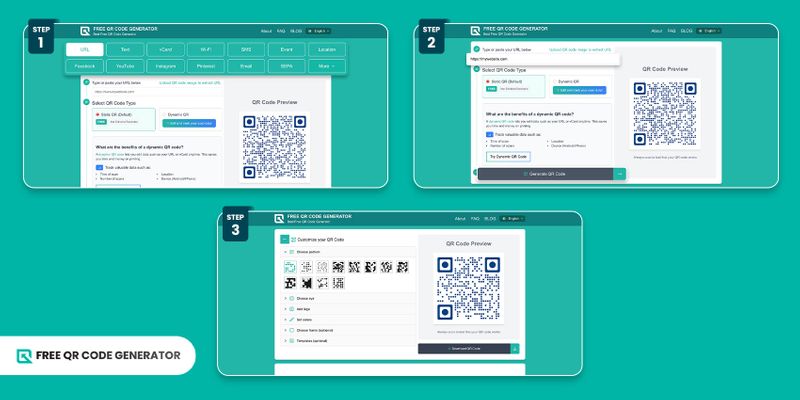
Just follow these easy steps:
1. Head over to the Free QR Code Generator website.
2. Click one from the available QR code solutions: URL, Text, Wi-Fi, PDF, and more.
💡Note: Each solution serves a specific purpose. For example, the URL option lets you convert any web page into a QR code. It lets people access it instantly when they scan the code.
3. Enter the required details.
4. Click “Generate QR Code.”
5. Proceed by editing the pattern, eye shape, logo, colors, and frame. Or you can use the available templates.
Try different combinations, adjust the colors, add your logo, and apply a frame. These choices will shape the final look of your QR code.
6. Once you're satisfied with the design, scan QR code using your smartphone for testing.
7. If everything works, click “Download QR Code.”
Find the PNG file on your computer or smartphone. You can share it as it is, integrate the QR code into your digital designs, or print it in your preferred materials.
How to customize QR codes effectively
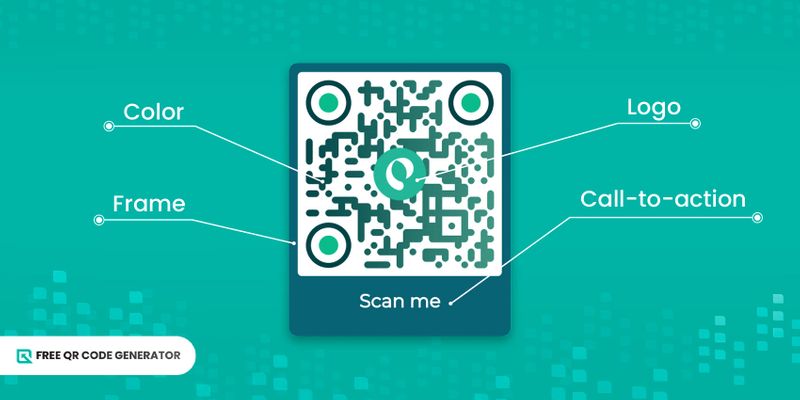
QR code creators offer free tools that allow you to personalize the entire appearance of your QR code. Here’s how to use them wisely.
Color choices
When experimenting with different colors on the QR code maker, be sure to choose them wisely. High contrast works best, like a dark code on a light background.
If the colors blend too much, scanners may struggle to read it. Keep it stylish, but make sure it is scannable.
Frame options
Whether you use a frame or not is totally up to you, but adding one gives your QR code a neat border and makes it look more compact.
The frame options in the Free QR Code Generator also let you change its color and add a call-to-action (CTA) tag, which becomes part of the design and helps guide users on what to do.
Compelling CTA
A catchy call-to-action is the secret to getting more scans.
Don’t just create a QR code and hope for the best; tell people exactly what they’ll get when they scan it.
A simple phrase, like “Scan to view the menu,” “Scan for a discount,” or “Scan to join the event,” boosts engagement and makes your QR code work harder for you.
Maximize logo
Make sure to add a logo to your QR code. It’s one of the best ways to showcase your brand. Everyone who scans it will see your logo, giving your brand extra visibility. And isn’t that the goal of any marketing campaign?
In case you don’t have your own logo, no worries. The Free QR Code Generator offers a variety of ready-made logo options. For example, when you’re creating a QR code for Facebook, you can use the platform’s Facebook icon.
Paired with the right CTA, your logo helps clearly communicate the purpose of your QR code.
Keep the balance of elements
Be creative, but don’t forget to stick to the best practices.
Just because you have plenty of customization options doesn’t mean you need to apply them all. Always consider selecting elements that complement each other well.
Avoid picking random frames or colors that clash with your logo. It won’t just affect the overall look; it can also reduce the scannability of your QR code.
Proper placement and usage of QR codes
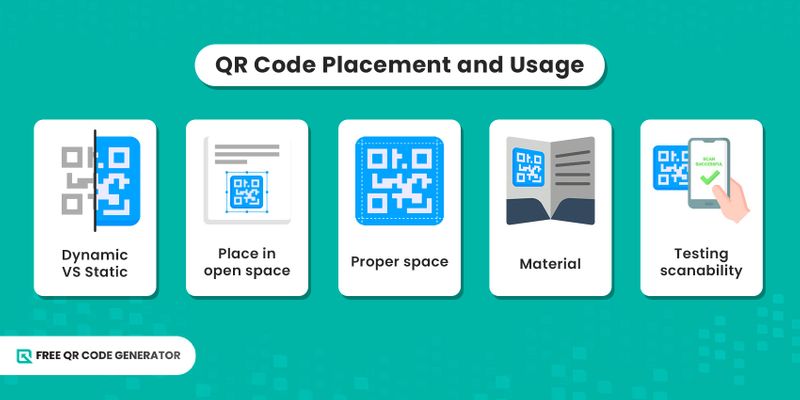
Besides customization, the placement of the QR codes and how you use them matter a lot.
Let's examine a few best practices to help you use it effectively every time.
Use the right type of QR code
Simply creating a QR code isn’t enough; you need the right type to meet your needs.
Each QR code solution serves a specific purpose. An Instagram QR code helps you promote your profile or posts, while an email QR code lets users send you a message by scanning and hitting 'send'.
Before you create a free QR code, identify its purpose. Explore the various types of QR codes available and understand their functions and applications.
Set to the highest error correction level
Error correction is a built-in safety feature that allows the QR code to still work even if part of it gets covered, damaged, or scratched. The scanner can rebuild the data and still read it correctly.
If the QR code generator allows the option to adjust the error correction level, then adjust it to the maximum.
This will increase the ease of scanning.
Proper size
A tiny QR code won’t always scan.
Even if you create a free QR code to be placed on a small poster or flyer, make sure you get the size right. Ideally, your QR code should be at least 2 cm × 2 cm (0.8 × 0.8 inches). This size works especially well for business cards and flyers.
Don’t worry! Smartphones can easily scan codes in this dimension.
For larger prints, increase the QR code size by 1 cm for every 10 cm of scanning distance. This helps users spot and scan the code even from farther away.
Download in high-resolution format
Just as it's essential to choose the right size, it’s equally important to download your QR code in the ideal image format.
Use PNG or SVG for digital use, and opt for SVG or EPS for print to ensure sharp, clear quality.
Aim for at least 300 dpi when printing so the code remains crisp and scannable.
Printing material used
When printing your QR code, choose durable materials. Non-reflective options, such as vinyl, matte paper, or fabric labels, work well and make scanning easier.
If the material creates glare, your customer’s camera may struggle to scan the code.
And if you use flimsy or non-durable paper outdoors, both the QR code and the material can become damaged, rendering them unusable.
Testing before deployment
There’s nothing wrong with double-checking. Imagine placing the code across your marketing materials, and someone scans it, only to encounter an error.
That’s not just inconvenient; it reflects poorly on your brand.
To avoid this, always scan a QR code and test on multiple devices before printing or using it anywhere. A quick check can save you from a major embarrassment later.
Also, before finalizing the placement, make sure the area has strong network connectivity across major service providers.
Only then can people scan your QR code and access the content without any frustration.
Place the QR code in visible areas
Always be mindful of where you place your QR code. If people have to spend all their time hunting for it, you’re already losing scans.
To achieve maximum results, ensure that your QR code is placed in a clear, visible, and easily accessible location or material. It could be in a billboard, poster, or an OOH (out-of-home) screen.
Also, remember not to place the QR codes on reflective surfaces. The glare can hinder the device from scanning it properly.
QR code solutions worth exploring
On the free QR code maker dashboard, you can see an array of solutions you can choose from. Let’s explore the common solutions you’ll find in a generator and how you can use them.
URL
You can create a QR code for a URL or web address to quickly direct someone to a website or digital content.
This could be a digital menu, a discount sale page, or an online form anywhere on the Internet where you want people to access it quickly and easily.
vCard
A virtual card (vCard) is the modern version of a business card. A vCard QR code can hold everything your traditional card contains and much more. This includes your portfolio links, website URLs, your résumé link, or any other relevant work pages.
Even if you print these links on a card, only the ones in a vCard are clickable, making them far more accessible.
Wi-Fi
Are you planning to offer free Wi-Fi to your customers? Then this solution is for you.
When you create a QR code for free Wi-Fi access, simply enter details like the network type, SSID (usually found on the bottom of your router), and the Wi-Fi password.
Once the QR code is ready, anyone can scan it to connect. No manual typing needed.
SMS
Imagine you’re running a bakery and taking pre-orders for cakes. Instead of asking customers to type out a message manually, you can use an SMS QR code.
While creating the code, enter your phone number and a pre-filled message, like “I want to place an order for a chocolate cake,” and a form template.
When customers scan the code, their messaging app opens with all the fields to be filled in, and the next step is to hit send.
This makes communication faster, easier, and error-free.
Event
As the name suggests, an event QR code is ideal for promoting any upcoming event. Simply enter details such as the event title, location, and start and end times to create one for free.
When someone scans it, they’ll instantly get all the event information, even without an Internet connection, and add it to their calendar.
Location
A location QR code stores details like the latitude and longitude of a place.
When someone scans it, they can instantly view the location and open it in their maps app for easy navigation.
It’s ideal for quick location access to business establishments, event venues, and offices.
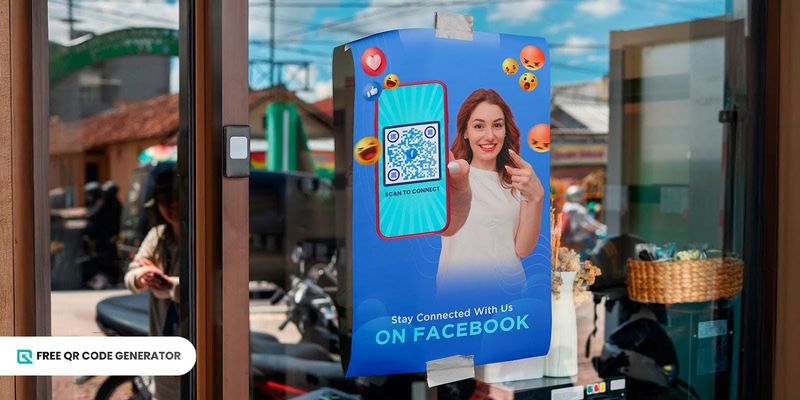
If you want to promote your Facebook page or a specific post, a special QR code solution is available to help you achieve this purpose.
Simply copy the URL of the page or post into the dashboard and generate the QR code. When someone scans it, they’ll be taken straight to that link.
YouTube
It’s a QR code solution that is useful for promoting a YouTube channel or content.
Simply copy the URL of the channel or video into the dashboard and generate the QR code. When someone scans it, they’ll be taken straight to that link.
If you want to promote your Instagram page or post, this is the QR code to use.
Simply copy the URL of the page or post into the dashboard and generate a QR code. When someone scans it, they’ll be taken straight to that link.
It’s also easy to share a Pinterest board or post through a QR code.
Just paste the board or post’s URL into the free QR code maker and generate the code. When someone scans it, they’ll be taken directly to that post.
Text
With the text solution, you can enter any combination of letters or numbers. When someone scans the QR code, the text you added will be displayed on their device.
This text can include product information, passwords, motivational quotes, or even clues for fun games.
This works similarly to a Text QR code, but it’s specifically for email. When creating it, you’ll enter your email address, along with a subject and body of the message.
When someone scans the QR code, their email app opens with all the details pre-filled. They just need to hit send.
For example, if you work in real estate, you can create an email QR code that lets clients easily inquire about a property you’ve listed. It’s a simple tool that could even become a new trend that could transform real estate statistics.
SEPA
A SEPA QR code is a kind of payment QR code that is used for quick and error-free bank transfers. It’s useful when doing cashless euro payments in Europe.
When creating one, you’ll need to enter details such as the recipient’s name, IBAN, BIC/SWIFT, amount (in EUR), payment reference, and remittance information.
As you make a QR code for SEPA, you can also add advanced options such as service tag, version, character encoding, SEPA credit transfer type, purpose, and notes.
With a single scan, your client can view all these details instantly and proceed with the payment.
File
A File QR code lets you store and share different types of files. It supports formats, including PDF, JPEG, PNG, MP4, Excel, and Word.
This makes it easy to share documents, images, or even videos with a single scan.
Social media
Create a QR code for all your social media platforms with a social media solution. You can add Facebook, Instagram, X, TikTok, Snapchat, LinkedIn, and more in a clean, mobile-friendly page.
Users only have to tap the button of a specific platform, and they can instantly follow, like, subscribe, or connect with you.
Menu
About 88% of restaurants plan to go digital, and menu QR codes are one of the methods they’re using.
As the name suggests, these QR codes are ideally suited for businesses in the food, beverage, and hospitality industries.
To make a QR code, all you have to do is upload your restaurant’s menu to the QR maker and customize it with your logo and brand colors.
HTML Editor
The HTML Editor solution enables you to create a custom, mobile-optimized webpage or landing page that users can access via a QR code.
With this solution, you can set up a landing page in seconds. You no longer need to purchase a domain or incur additional expenses.
Google Form
When you need digital check-ins, event registrations, attendance tracking, surveys, or feedback forms, this QR code for Google Forms is highly useful.
After creating your online form, simply convert its shareable link into a QR code. With just one scan, your audience will be taken directly to it and submit their responses hassle-free.
Multi URL
Also known as a QR code for multiple links or a Smart URL, this is one of the most advanced QR code solutions available.
When you generate a QR code using this solution, you have the advantage of redirecting users to different landing pages based on a specific condition you set.
The destination can change depending on factors like the scanner’s device language, the time of scanning, the total number of scans, or even the user’s geographical location.
App stores
This QR code can automatically redirect users to the Google Play Store, App Store, or AppGallery, depending on their device’s operating system.
When customers scan it, they can instantly download and install your mobile app.
MP3
These are audio QR codes. With this, you can convert your podcast, soundtrack, or voice recording into a QR. It’s helpful for promoting audio content across various purposes, such as education, music events, and advertising.
This solution supports MP3 and WAV files.
Adding one to your print poster will make it like a print jukebox, allowing scanners to play the audio on their smartphones with just one scan.
Create your free QR code today
Now you know how easy it is to create a QR code. Using them in your marketing and daily tasks can make your work smoother, more convenient, and a lot more future-ready.
All you need is a free QR code maker, and you’ll have your QR code ready in no time.
What are you waiting for? Generate your QR code for free today.
FAQ
Can I create a QR code without paying?
Yes. With the Free QR Code Generator, creating a QR code is completely free. You can explore multiple QR code solutions, customize the design with plenty of options, and still keep everything aligned with your brand.
Whether it’s for daily use or marketing campaigns, this platform lets you create professional QR codes without spending money.
What's the best free QR code creator?
Apart from Free QR Code Generator, the best free QR code maker you can use is QR TIGER. This software also offers free static QR codes, but also advanced ones that you can use for more critical reasons.