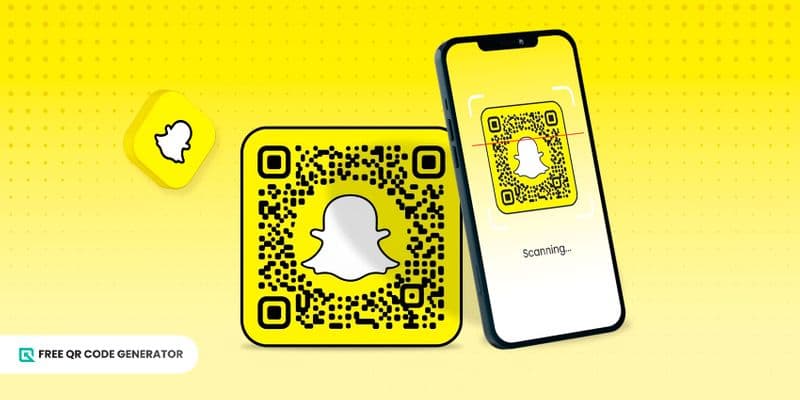
A Snapchat QR code makes connecting with other snapchatters faster.
Instead of typing to search, users scan Snapcodes to add friends, unlock filters, open links, and access exclusive content.
It’s a quick, mobile-friendly tool for connecting offline and online engagement, which is ideal for today’s fast-paced digital environment.
In this guide, we will break down everything you need to know about the Snapcode: how they work, why they matter, and how to create yours on the Free QR Code Generator.
Table of Contents
What is a Snapchat QR code?
A QR code for Snapchat is a scannable code that links directly to a Snapchat profile, content, or filter.
There is also the Snapcode, which is similar to a QR code on Snapchat. The most distinctive difference is that it uses dotted patterns instead of squares. The code is scannable through the Snapchat camera.
Another notable feature is the iconic white ghost silhouette in the middle of the code, which can be either empty or contain a user’s Bitmoji or avatar.
A side-by-side comparison between Snapcode and a custom Snapchat QR code
Going back, a QR code is more accessible, customizable, and familiar to the general public.
When it comes to accessibility, people can use their regular smartphone camera to have a Snapchat QR code access to your profile or content.
As for customization, a QR code maker often provides tools to let you create a QR code for Snapchat that aligns more closely with your branding or personality.
The simplicity and versatility of this social media QR code make it a superior tool for promoting your content offline to online and boosting your overall presence on Snapchat.
How to create a QR code for Snapchat (in two ways)
You can make a QR code for Snapchat in two methods. One is by using the app, and the other is using a QR generator available online.
Note that a Snapcode and a QR code appear quite differently from each other, so be sure to identify which kind of code you want first, and the rest will follow.
Using the Snapchat QR code maker
If you want to generate a Snapcode in the app, follow these steps:
1. Open the Snapchat app.
2. Go to your profile by tapping your avatar in the top-left corner.
3. View your Snapcode.
4. Select the option to export it.
5. Save the Snapcode to your device.
This method is straightforward and uses the standard Snapchat QR code template. There are also a few customization options to choose from.
Using a custom Snapchat QR code generator
For greater flexibility, you can create a dynamic QR code that links to your Snapchat profile or
any other URL. This requires you to use a Snapchat online QR code generator.
Here’s how:
1. Open the Free QR Code Generator on your browser.
2. Enter your Snapchat profile link or content URL.
3. Generate the QR code.
4. Customize the design with colors, frames, or logos to match your brand.
5. Download it in your preferred format (PNG, SVG, etc.).
Customizing the QR code allows you to integrate it seamlessly across campaigns — on your print or digital materials, such as business cards, flyers, posters, or social media posts.
How to design an effective Snapchat QR code
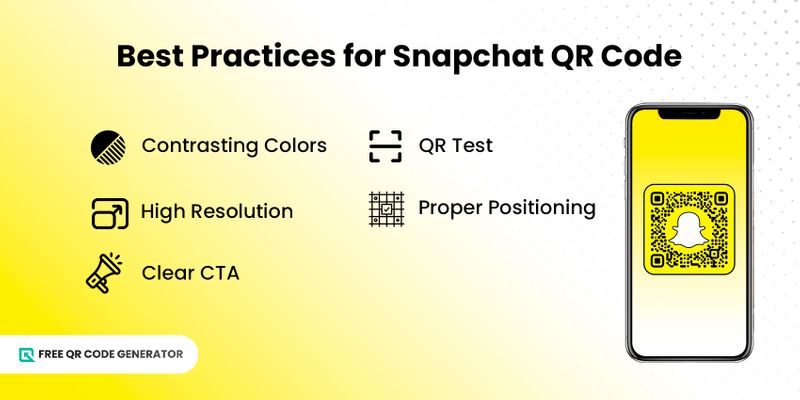
Here are a few pointers to follow to make any QR code effective:
- Use contrasting colors: Ensure your QR code stands out by using high-contrast colors between the code and the background. This improves scanning accuracy and makes it visually appealing.
- Download in high-resolution format: For printed materials, a high-resolution QR code is essential. Blurry or pixelated codes may not scan correctly and can frustrate users.
- Include a clear CTA: Encourage engagement by adding a clear call-to-action (CTA) tag. A simple prompt, like “Scan to follow” or “Add me on Snapchat,” increases the likelihood that users will scan your code.
- Test before publishing: Always test your QR code with multiple devices and apps before finalizing. This ensures it works properly and directs users to the correct content.
- Position for maximum visibility: Place your QR code in a location that is easily visible and accessible for your audience to scan. Put the materials in high-traffic areas, on packaging, or near content that naturally draws attention.
When you master these best practices, the benefits of QR codes double, sparking new ideas and opportunities for their use.
5 creative uses of QR codes for Snapchat
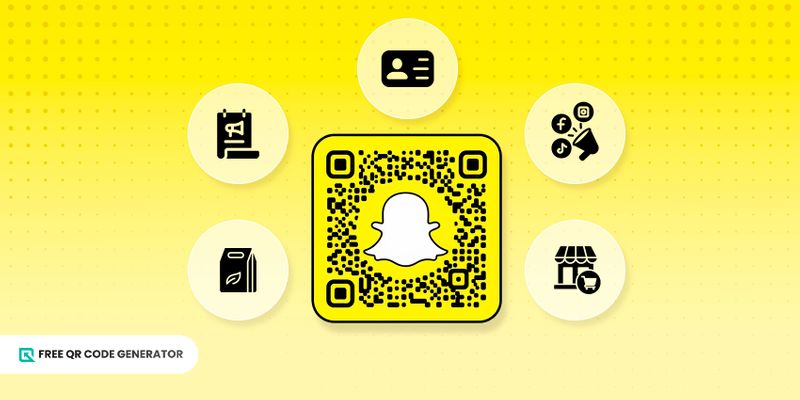
As mentioned, QR codes can help individuals, influencers, and businesses connect with their audiences in various creative and effective ways.
These Snapchat QR code uses show just how flexible and impactful they can be.
1. Promote a personal profile
Whether your goal is to grow a following or share your Snapchat with friends, a QR code makes it easy for anyone to add you instantly without having to search for your Snapchat username.
Using a Snapchat QR code for profile sharing is simply much faster and more convenient.
2. Share a business or brand profile
You can use QR codes to drive engagement and increase followers to your brand’s Snapchat account.
Using a Snapchat QR code maker, you can quickly generate codes to place on marketing materials, ensuring potential customers can connect in seconds.
3. Link to Snapchat lenses or filters
Direct users to specific lenses or filters to make campaigns interactive and fun. This helps boost engagement while creating memorable experiences for your audience.
Use a QR code for Snapchat filters to make it easy for users to view and try your lenses.
4. Unlock exclusive content
Offer promotions, behind-the-scenes content, or special updates through a QR code.
Scanning the code gives your audience access to exclusive content they can’t find elsewhere, letting anyone using the Snapchat story viewer access it instantly.
5. Integrate into marketing materials
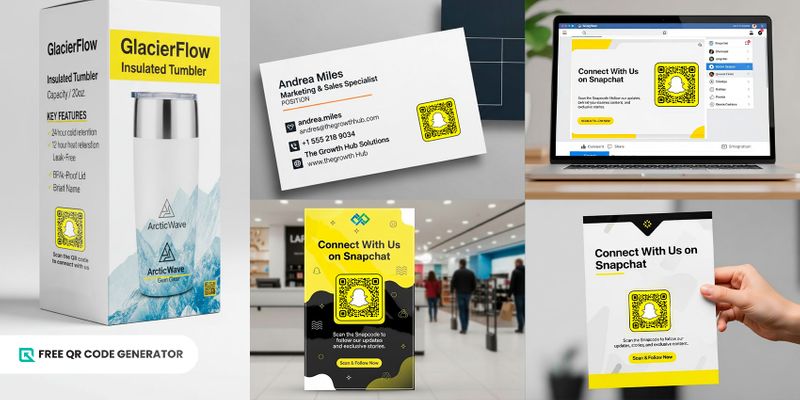
QR codes in marketing are not new, but you can be unique in how you use them.
This time, you can add a QR code for Snapchat across offline and online channels to make it easy for your audience to engage wherever they encounter your brand, such as in the following:
- Business cards – Quick connections at networking events
- Packaging – Add an interactive element to your products
- Social media – Cross-promote and drive traffic to Snapchat
- Websites – Seamlessly transition visitors from web content to Snapchat
- Physical stores – Encourage in-store engagement via displays
- Flyers and posters – Turn traditional marketing materials into interactive touchpoints
The benefits of using QR codes in these ways extend from simpler customer interactions to more effective audience capture.
It’s a smart solution for anyone looking to leverage a QR code generator for Snapchat to easily share their profile.
Let Free QR Code Generator share your snaps in a scan
The Snapchat QR code makes sharing effortless and fun. It boosts visibility, simplifies connections, and sparks more interaction, both online and offline.
With Free QR Code Generator, you can customize your QR code for Snapchat and share it anywhere. It will make connecting with you fast, simple, and effective.
FAQs
How do I scan a Snapchat QR code from my camera roll?
To scan a Snapchat QR code from your camera roll, open Snapchat, tap your profile icon, select the Snapcode icon, and choose “Scan from Camera Roll.” Then pick the image with the QR code, and Snapchat will automatically scan and recognize it.
Are Snapcodes permanent or do they expire?
Snapcodes for your profile typically remain valid indefinitely, as long as the account exists and the user hasn’t changed major settings. However, if a link or Lens behind the Snapcode changes or is removed, the behaviour when scanning might change.