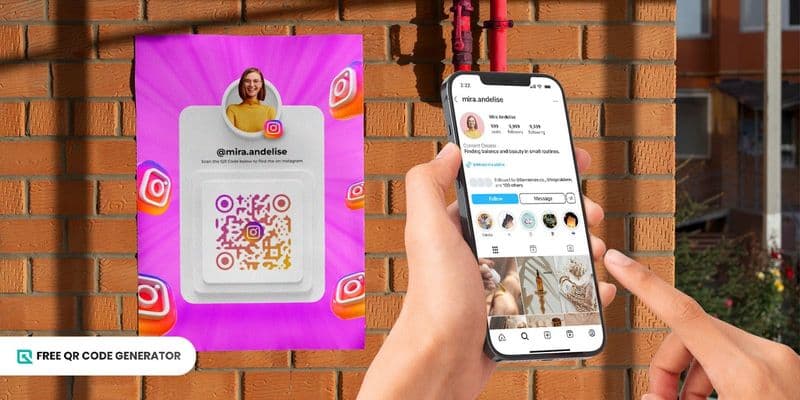
Initially branded as name tags, the Instagram QR code was first introduced back in 2020. They were considered a quicker way for users to share their profiles without having to search for their profile usernames.
With Instagram’s recent updates, QR codes can now do far more than just lead people to your profile. You can share highlights, location, posts, and even send one to invite people into a group chat.
In this guide, we break down every current (and potential) feature, explain how to create it using a free QR code generator, and provide creative ways for you to use them.
Table of Contents
What can you do with an Instagram QR code?
Instagram’s built-in social media QR code directs users to different in-app or website features.
Here are some of the things that your QR code for Instagram can link to:
Sharing profile
Using the ‘Share profile’ option on your Instagram profile page, you can instantly generate and share an Instagram QR code that links directly to your account.
This makes it much easier for others to find you. Anyone you share it with can follow you and start viewing your posts with one quick scan.
Sharing post
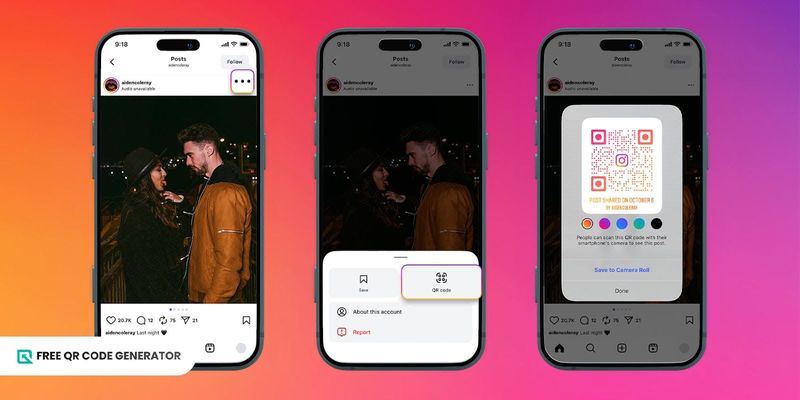
Another use of a QR code for Instagram is for sharing a specific post that you want others to view.
Under the share button, you can generate a QR code for any photo or video, customize it with a particular gradient color, and then send it to others through chat or other messaging apps.
Whoever scans the QR code will be taken directly to that specific post. It makes it easier for you to boost Instagram engagement without needing to share lengthy links or waiting for others to encounter your post on their feeds.
Invitation for a group chat
Planning to create your own group chat on the app? The Instagram QR code maker can help you send invites more conveniently.
You don’t have to worry about searching for each profile one by one. Instead, you can generate a group chat QR code and then send it to your friends or post it publicly for your fans to scan and join.
Location
With Instagram’s searchable map experience, you can now create a QR code on Instagram that links to your specific location.
When scanned, it will take users directly to that exact location on the Instagram GPS map, making it easier to recommend restaurants, shops, and other event venues without needing to type out directions.
Highlights
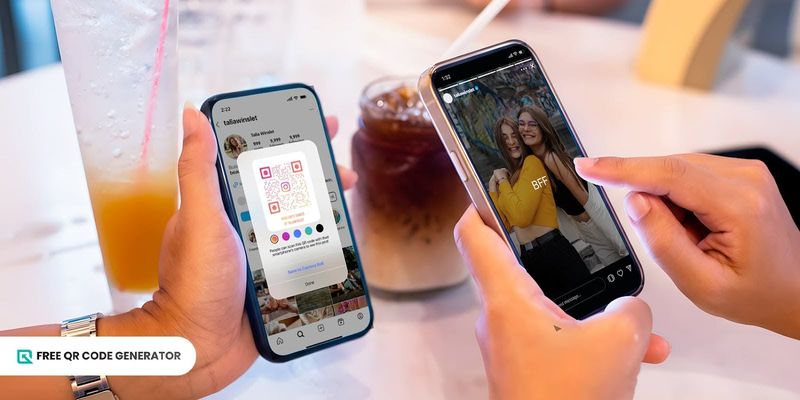
Instagram highlights are also shareable using QR codes. It’s a convenient way to showcase important moments and projects in one scan.
If you have a set of stories you want others to see, share a QR code for Instagram highlights so your followers can view them without browsing through each one in your profile.
Secret QR codes
Instagram tests out a new feature that allows users to open exclusive content when they scan QR codes.
This means that certain posts could remain hidden unless someone scans the QR code and then enters the secret password in the app version.
For content creators, this feature opens the doors for delivering exclusive updates, VIP content, or even limited-access announcements.
How to find a QR code on Instagram
Here is a step-by-step process on how to find your QR code on the Instagram mobile and web apps :
1. Open Instagram on your phone or on a web browser.
2. Click on the bottom right icon to open your profile.
3. If you’re on the web, open the options section on your account settings, and select QR code.
4. If you’re on mobile, select the share profile option and then QR code.
5. Customize your QR code design.
6. Download the QR code and share.
How to make a QR code for Instagram (with full customization)
Although the QR code generator for Instagram exists, its static QR code generation and limited design options may be restrictive for some users, especially for those who want to use it for professional or business purposes.
To create a QR code for Instagram that is fully customized for free, follow this quick guide:
1. Visit a free QR code generator website.
2. Choose the Instagram solution.
3. Paste the Instagram URL that you wish to share.
4. Select whether you want the QR code to be static or dynamic.
5. Select “Generate QR Code”.
6. Customize how your QR code looks. Add a logo, use new colors, or change the patterns.
7. Download and share.
Creative ways to share your Instagram QR code
The Instagram QR code creator unlocks a ton of opportunities for you to share your content. But the question is: how can you make the most of them?
To get you started, here are some creative ideas on how you can share your quick-response codes to maximize their impact:
Product promotion
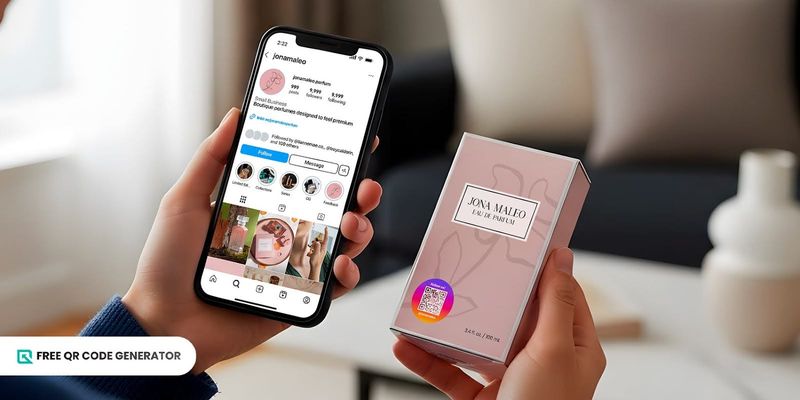
Use the QR code for Instagram freely as a product packaging QR code for your items, so customers can easily scan and follow you.
In doing so, they can explore more of your content, stay updated on the latest releases, and be notified of any ongoing sales or discounts.
Sharing business socials
For local businesses, consider displaying the QR code for your Instagram page at the checkout counter or near the store entrance.
You can draw more people’s attention to the QR code, increasing the likelihood that they will scan it and follow your Instagram account.
It's a simple way to gain followers, share updates, and encourage more people to engage with your profile without needing to share your Instagram handle.
Raffles and giveaways
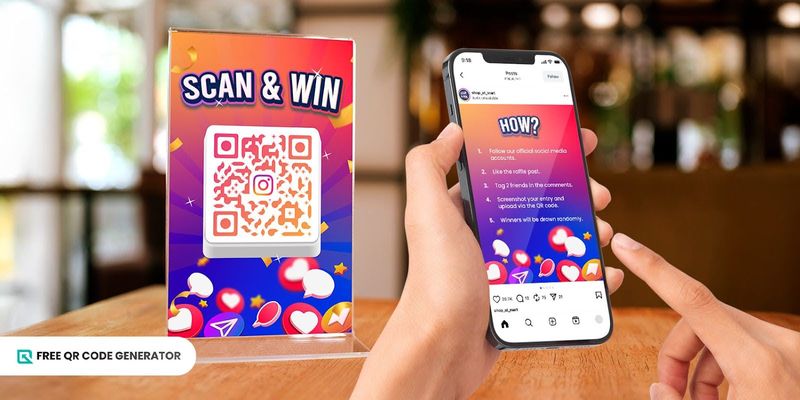
You can also use a QR code for Instagram to run fun and interactive raffle promos, which are great avenues for increasing social media followers.
Share the QR code along with your raffle promo post so customers can easily follow your account (as part of the mechanics) and sign up for the raffle, which offers prizes such as discounts, vouchers, or even free merchandise.
This marketing strategy is an effective way to boost engagement while giving customers an exciting reason to follow your Instagram page.
Cross-platform promotions
You can also share a QR code for Instagram account promotion across your other social media platforms, encouraging followers to connect with you on Instagram.
It doesn’t matter if you share it on Facebook, X.com, or even Bluesky; a QR code for Instagram makes it easier for people to discover your content across multiple platforms.
Instruction reels
With Instagram’s free QR code generator, you can create a QR code for your instructional reel so you can easily integrate it into your products.
These short videos can teach customers how to use, assemble, and/or care for the product, conveniently offering guidance and reducing confusion.
Networking events
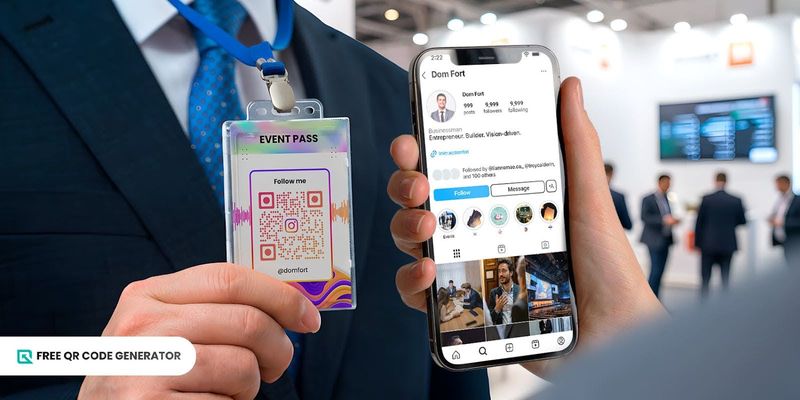
At networking events, you can add an Instagram QR code sticker to your event pass, badge, or ID.
This allows attendees to quickly share their Instagram profiles while you focus on making new connections, without needing to spell out their username or manually search for the profile.
Sharing testimonials
Direct people to your customer testimonial highlights from your Instagram page through a QR code.
When your clients scan it, they will be able to view clips and photos of customer reviews online, which helps build trust and credibility for your brand, product, and service.
Personal portfolio
Using an Instagram QR code for a business card allows you to easily showcase your profile as a personal portfolio.
By linking directly to your profile or specific posts, you let potential clients, collaborators, or employers view your work digitally.
It's primarily beneficial for visual professions, such as artists, photographers, and designers, but this idea can also be adapted for other fields.
Boost Instagram visibility with QR codes
The Instagram QR code is a convenient tool for sharing and promoting your posts, highlights, group chats, and potentially more with your present and potential followers.
If you want to grow your presence on Instagram and stay connected with your audience, start creating your QR code for Instagram with the help of Free QR Code Generator.
FAQ
Is an Instagram QR code free?
Yes, Instagram allows you to create QR codes completely for free on the app.
However, compared to other QR code generators found online, Instagram only supports static QR code generation with limited customization.
If you’re looking for dynamic QR codes with more advanced features and customization, it's recommended to use an advanced, free QR code generator with an Instagram solution.
Can I use a QR code to grow followers?
Definitely. QR codes simplify the process of accessing your Instagram page, helping you grow your follower count more effectively and consistently.
How long do Instagram QR codes last?
Instagram’s built-in QR code generator creates static QR codes, which means that they are permanent and don’t technically expire.
However, they can still stop working if the embedded link breaks or if the content it’s supposed to redirect to (Instagram profile, post, reel, etc.) is deleted, removed, or made private.