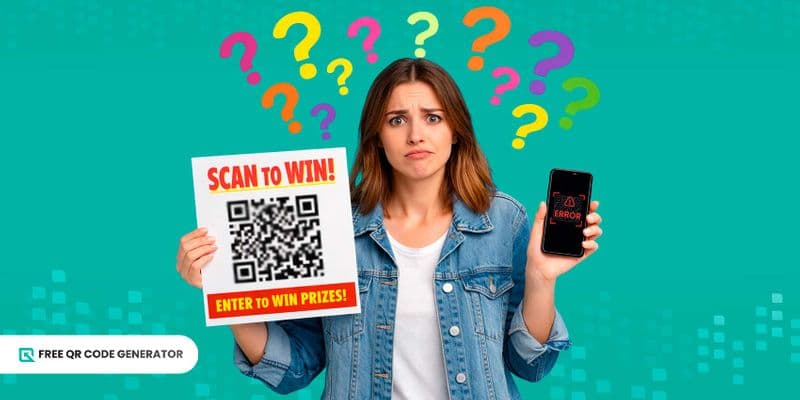
เคยลองสร้างรหัส QR ฟรีตามคำแนะนำมาก็ยังพบกับปัญหาที่พบการสแกนต่ำหรือยังคะหน้ากับการสแกนต่ำหรือยังคะหน้ากับการสแกนต่ำหรือยังคะหน้ากับการสแกนต่ำแม้ว่าคุณจะสร้างรหัส QR ของคุณโดยใช้เครื่องมือสร้างรหัส QR ฟรีที่ดีที่สุด คุณก็ไม่ควรคาดหวังว่าจะได้รับการสแกนมากเลยทันทีเมื่อไม่ทำตามขั้นตอนที่ดีที่สุดได้
มีปัจจัยต่างๆ จริงๆ ที่มีส่วนร่วมในปัญหาการสแกนรหัส QR ที่คุณอาจจะไม่รู้เกี่ยวกับมันครับ/ค่ะ。
หากคุณมีประสบการณ์ที่คล้ายกัน คุณควรเรียนรู้สาเหตุที่พบบ่อยของปัญหาการสแกนและวิธีแก้ไขเพื่อป้องกันไม่ให้เกิดข้อผิดพลาดเดียวกันอีกครั้ง
สารบัญ
สถิติการสแกน QR code ที่สำคัญ
- ในการทำนายที่ทำโดย Bitly ประมาณ 85% นักการตลาด แสดงแผนการเพิ่มและใช้ประโยชน์ QR code อย่างสูงสุดในปี 2026 ค่ะ.
- ตามรายงานล่าสุดจาก QR TIGER บอกว่า 41.77 ล้านการสแกนทั่วโลก ในปี 2024 นี้ นั้นหมายความว่า QR code ยังคงดึงดูดความสนใจของคนได้และการสแกนอาจเพิ่มขึ้นได้อีกต่อไป
- มีบันทึกว่า 91% ของอุปกรณ์ iOS และ 86% ของอุปกรณ์ Android ผู้ใช้มีเครื่องสแกนในตัวอยู่แล้ว โปรดอัปโหลดเอกสารที่เกี่ยวข้องในระบบของเราเพื่อดำเนินการต่อไป. ซึ่งย้ำความสำคัญของการสแกนรหัส QR ในปัจจุบัน
- รอบ 59% ของผู้บริโภคกล่าวว่าพวกเขาสแกนรหัส QR ทุกวัน โปรดแปลประโยคนี้เป็นไทย: "Can you please assist me with this translation?" หมายถึงการสแกนรหัส QR ได้กลายเป็นส่วนสำคัญของชีวิตของทุกคนแล้วค่ะ。
- 21% ของผู้สแกนรหัส QR อ้างความตั้งต่างไม่ดีเป็นเหตุผลที่พวกเขาไม่สามารถสแกนโค้ดได้ ไม่เกี่ยวข้อง
- รหัส QR ที่ปรับแต่ง ขอบคุณมีประสิทธิภาพเพิ่มขึ้น 80% ตามข้อคิดของผู้เชี่ยวชาญ QR code ว่าQR code ทำให้การสแกนระบุกันเกินคำทั่วไป โปรดสแกน QR code เพื่อดูข้อมูลเพิ่มเติม ค่ะ นั้นหมายความว่าการปรับเปลี่ยนให้เข้ากับบุคคลเล่นบทบาทใหญ่ในการดึงดูดความสนใจของผู้ชม
ปัญหา QR code ที่พบบ่อยมีอะไรบ้าง?
นี่คือปัญหาในการสแกนรหัส QR ที่มีผลทำให้รหัส QR ของคุณไม่สามารถถูกสแกนได้ คุณควรระมัดระวังเรื่องนี้เมื่อคุณ สร้างรหัส QR สำหรับธุรกิจหรือโครงการของคุณ:
รหัส QR ซึ่งขีดออกไม่ชัด

ความชัดเจนของรหัส QR หลังจากโพสต์หรือพิมพ์มีความสำคัญมากสำหรับการสแกน รหัส QR ประกอบด้วยส่วนต่าง ๆ และหากส่วนใดส่วนหนึ่งไม่ชัดเพียงพอในการสแกน คุณจะมั่นใจว่าจะเกิดข้อผิดพลาดในการสแกนลงบัตรกระชับ
วิธีแก้ปัญหานี้ยังไงคะ?
เมื่อดาวน์โหลดรหัส QR ของคุณ กรุณาตรวจสอบว่ามีในรูปแบบที่ถูกต้อง รูปแบบที่พบบ่อยรวมถึงดังนี้:
- PNG และ JPEG ทั้งสองเป็นประเภทวิวัฒนาการและเหมาะที่สุดสำหรับการแบ่งปันดิจิทัลและโพสต์ในโซเชียลมีเดีย
- WebP ระบบการบีบอัดภาพแบบใหม่ที่พัฒนาโดย Google ชนิดแราสเตอร์อีกชนิดที่เหมาะที่สุดสำหรับเว็บไซต์ที่โหลดเร็ว
- SVG และ EPS เหล่านี้คือประเภทเวกเตอร์และเหมาะที่สุดสำหรับการพิมพ์เนื่องจากพวกเข้าสามารถเปลี่ยนขนาดได้ตามต้องการ ทำให้ผู้ใช้สามารถยืดภาพได้โดยไม่ทำใให้คุณภาพของรหัสเสียหาย
- โปรดอัพโหลดเอกสาร PDF ของคุณ. - ยังเป็นชนิดเวกเตอร์และเหมาะที่สุดสำหรับเอกสารพร้อมพิมพ์
ขนาดไม่ถูกต้อง

ขนาดอาจเป็นเหตุผลที่ทำให้รหัส QR ของคุณไม่ทำงาน เมื่อขนาดของรหัส QR ไม่ตรงกับระยะทางที่คนมักจะสแกน จะส่งผลให้รหัส QR ของคุณเล็กเกินหรือใหญ่เกิน
โค้ด QR ควรมีขนาดที่เหมาะสมเพื่อให้เครื่องสแกนสามารถถอดรหัสข้อมูลได้
วิธีแก้ปัญหานี้อย่างไรคะ?
สำคัญที่จะคำนวณขนาด QR code ที่ถูกต้องโดยพิจารณาระยะทาง นี่คือสูตร:
ระยะสแกน ÷ 10 = ความกว้างของรหัส QR ขั้นต่ำ
สีที่เปราะบางและแตกต่างกันน้อย
ความคมชัดของสีมีบทบาทสำคัญในกระบวนการสแกนที่ประสบความสำเร็จ หากสีพื้นหลังและลวดลากมีโทนเดียวกันเกือบทั้งหมด—หมายถึงความคมชัดที่น้อย—สแกนเนอร์จะมีความยากลำบากในการระบุจุดสแกน
วิธีแก้ปัญหานี้อย่างไรคะ?
ตรวจสอบให้แน่ใจว่าคุณเลือกสีต่างกันสำหรับพื้นหลังและลวดลาภ คุณควรเลือกสีที่เข้มขึ้นสำหรับลวดลาภและสีที่สว่างสำหรับพื้นหลังเสมอ
สีถูกกลับควัก
พูดว่าคุณได้เลือกสองสีที่แตกต่างกันสำหรับแบบและพื้นหลังตามที่แนะนำข้างบนแล้ว ตอนนี้มันสำคัญที่จะจดจำว่าอย่าสลับสีกัน โดยเฉพาะเมื่อสแกน QR code อาจเกิดปัญหาได้
จะแก้ปัญหานี้อย่างไรดี?
A - แอ็ รหัส QR ที่ปรับแต่ง ควรใช้สีที่เข้ากันตามกฎหน้าที่: ลายเข้ม + พื้นหลังสว่าง เช่น การผสมผสานตัวอย่าง:
- ลายดำบนพื้นหลังสีขาว
- รูปแบบสีแดง + พื้นหลังสีชมพูอ่อน
- รอยขับสีน้ำเงินเข้ม + พื้นหลังสีน้ำเงินอ่อน
ลิงก์เสีย
ไม่มีใครต้องการใช้เวลาสแกนรหัส QR ที่ชี้ไปหน้าเว็บที่เสียหาย หรือไม่สมบูรณ์ 404 ข้อผิดพลาด โปรดทราบว่า คนความคุณภาพในการใช้เวลาของพวกเขาและประโยชน์ที่พวกเขาได้รับจากการสแกนโค้ดอย่างสำคัญ ดังนั้นคุณต้องพิจารณานี้ให้ดี
วิธีแก้ปัญหานี้อย่างไรคะ?
ทำให้มันเป็นนิสัยในการตรวจสอบว่าลิงค์หรือไฟล์ที่ซ่อนอยู่ในรหัส QR ของคุณทำงานอย่างเหมาะสมหรือไม่ ทำการสแกนทดสอบเสมอและตรวจสอบว่ามันเชื่อมโยงไปยังข้อมูลที่ถูกต้องเพื่อป้องกันไม่ให้ทรัสตของบุคคลที่ต้องการสแกนเสียไป
รหัส QR ที่เสียหายหรือถูกบดบัง

จำนวนการสแกน QR code ของคุณขึ้นอยู่กับความสะดวกในการสแกน หากวางตำแหน่งไม่ดีหรือฉีกขาด โดยเฉพาะที่จุดสแกน อาจทำให้เกิดปัญหาในการสแกน QR code ได้
อยู่ในหน้าจอด้านนอกหรือใต้วัถตัว ไม่ว่าว่าสแกนเนอร์ก็ไม่สามารถอ่านได้
วิธีแก้ปัญหานี้อย่างไรคะ?
โค้ด QR ของคุณต้องอยู่ในสภาพดี ไม่มีรอยขีดหยั่งหรือรอยขีดข่มของใดๆ โดยเฉพาะที่จุดสแกน และต้องไม่มีสิ่งที่มีความจดใจภายหน้าทำให้กระบวนการสแกนล้มเหลว ให้เปลี่ยนโค้ดเหล่านี้ทันทีหากเห็นเคราะห์ที่บอกถึงความเสียหาย หรือลบวัตถุต่างๆ รอบข้างทันที
การปรับแต่งเกินไป
โค้ด QR ก่อนหน้านี้ได้รับความนิยมในสีขาวและดำเท่านั้น แต่กับการเสนอเครื่องมือปรับแต่งต่าง ๆ โค้ด QR ในปัจจุบัน คุณอาจรู้สึกตกใจและหลงเกินไปกับลวดลาย ดวงตา กรอบ การเรียกร้องการปฏิบัติ และสัญลักษณ์
หาก QR code ของคุณไม่สามารถสแกนได้ อาจเป็นเพราะส่วนประกอบเหล่านี้ไม่สอดคล้องกัน และการปรับแต่งอาจส่งผลกระทบต่อคุณมากกว่าดี
วิธีแก้ปัญหานี้อย่างไรคะ? 🌟
โค้ด QR รูปสี่เหลี่ยมแบบเก่าแต่ยังคุณภาพดี มุมที่คมชัดช่วยเน้นตาของโค้ด QR ทำให้สแกนเนอร์สามารถระบุแยกแยะได้อย่างง่ายดายและเป็นที่ไว้วางใจอยู่และไม่สับทะเลาะเสียเลย รหัส QR รูปร่างกลม ดูเหมาะสม คุณต้องระมัดระวังเพิ่มเติมกับพวกมัน.
เงาไม่ดี

เงื่อนไขการให้แสงสว่าง เป็นเหตุผลอีกอย่างที่ทำให้รหัส QR ทำงานไม่ได้อย่างเต็มประสิทธิภาพ แสงเป็นปัจจัยสำคัญในการตรวจจับจุดสแกน ถ้ารหัส QR ของคุณอยู่ในพื้นที่ที่มืด สแกนเนอร์อาจไม่สามารถจับภาพทั้งหมดอย่างเต็มรูปแบบ ซึ่งจะทำให้เกิดข้อผิดพลาดในการสแกนได้
ขณะที่สแกนเนอร์บนสมาร์ทโฟนมีคุณลักษณะ "torch" หรือไฟฉายเพื่อปรับปรุงแสง แต่คุณไม่สามารถคาดหวังว่าคนจะใช้มันเสมอได้เสมอ
วิธีแก้ปัญหานี้อย่างไรคะ?
ให้แน่ใจว่ารหัส QR ของคุณอยู่ในที่ที่มีแสงสว่างเพียงพอ เพื่อให้สามารถตรวจจับสมบัติทั้งหมดได้
การเชื่อมต่ออินเทอร์เน็ตไม่แข็งแรง

หากเป็นโค้ด QR แบบไดนามิก จะมีโอกาสสูงที่จะต้องใช้การเชื่อมต่ออินเทอร์เน็ต บางครั้งอาจจะมีข้อความเตือนให้คุณเชื่อมต่อกับเครือข่ายก่อน แต่บางครั้งก็ไม่มีการแจ้งเตือนเลยค่ะ.
เพียงรหัส QR ฟรีเท่านั้นที่สามารถสแกนได้โดยไม่ต้องการเชื่อมต่ออินเทอร์เน็ต ค่ะ.
วิธีแก้ไขอย่างไรคะ?
เมื่อสแกนโค้ด QR อย่าลืมตรวจสอบว่าคุณเชื่อมต่ออินเทอร์เน็ตหรือเปิดข้อมูลมือถืออยู่เสมอ
ปัญหาของอุปกรณ์สแกน
โทรศัพท์มือถือรุ่นเก่าๆ 通常มีความสามารถในการสแกนที่ล้าสุด เค้าสามารถสแกนข้อความหรือ SMS พื้นฐาน แต่เชื่อไหวถึงปัญหาในการสแกน URL หรือรหัส QR ของโซเชียลมีเดีย
วิธีแก้ปัญหานี้อย่างไรคะ?
หากคุณใช้สมาร์ทโฟนรุ่นเก่าที่ไม่มีสแกนเนอร์ในตัว ควรใช้ Google Lens หรือดาวน์โหลดแอปสแกน QR ที่มีรีวิวจากผู้ใช้ดีเพื่อให้แน่ใจว่าสแกนและอุปกรณ์ของคุณปลอดภัยทั้งนั้น
ตำแหน่งผิด
รหัส QR ของคุณวางไว้ที่ไหน? อยู่ที่สูงหรือต่ำ? ปัจจัยอีกอย่างที่ควรพิจารณาคือตำแหน่งของรหัส QR หากคุณตั้งใจที่จะได้รับการสแกนมาก ควรวางไว้ในที่สาธารณะ ไม่ใช่ในห้องที่เป็นส่วนตัว
หากคุณต้องการรับข้อเสนอแนะจากกลุ่มเป้าหมายที่เฉพาะเจาะจง การนำมาวางในที่ที่กลุ่มเป้าหมายไม่ได้อยู่จริงจะไม่มีประโยชน์ต่อคุณ
วิธีแก้ไขอย่างไรคะ?
ตรวจสอบให้แน่ใจว่าโค้ด QR ของคุณสามารถสแกนได้ตามระดับสายตา จะต้องไม่สูงหรือต่ำเกินไป และควรวางตำแหน่งโดยชัดเจน ไม่ว่าอยู่ในที่สาธารณะหรือส่วนตัว
สร้างรหัส QR คุณภาพสูงโดยใช้โปรแกรมสร้างรหัส QR ฟรี
นี่คือคู่มือสั้น ๆ เพื่อช่วยคุณทำ QR code ของคุณเอง:
- ไปที่ สร้างโค้ด QR ฟรี เว็บไซต์ไม่จำเป็นต้องสร้างบัญชี
- เลือกโซลูชันรหัส QR และเพิ่มข้อมูลที่ต้องใช้
- สร้างโซลูชันรหัส QR ของคุณ
- ปรับแต่งดีไซน์รหัส QR ของคุณ
- ทดสอบสแกนโค้ด QR, ดาวน์โหลด และจะพร้อมใช้งานแล้วค่ะ.
สรุปของแนวทางการใช้งานรหัส QR ที่ดีที่สุด
- ดาวน์โหลดรหัส QR ของคุณอย่างถูกต้องตามแพลตฟอร์มที่คุณต้องการโพสต์ ไฟล์ SVG และ EPS เหมาะที่สุดสำหรับการปรับขนาดเมื่อคุณต้องการยืดสำหรับการพิมพ์—สำคัญที่จะพิมพ์ในขนาดที่ถูกต้อง และไฟล์ PNG และ JPG เหมาะที่สุดสำหรับการโพสต์ออนไลน์
- สำคัญที่จะปรับแก้โค้ดของคุณอย่างเหมาะสม: สีควรมีความคมชัด, กรอบเป็นรูปสี่เหลี่ยมจะเป็นที่ชอบ, และคุณควรเพิ่มคำเรียกร้องที่น่าสนใจและเข้าใจ.
- การจัดวางก็เป็นสำคัญในการรักษา QR code ของคุณให้สามารถสแกนได้ ตรวจสอบให้แน่ใจว่าใช้กฎการออกมือถือสำหรับการสแกนง่ายยิ่งขึ้น และวางตำแหน่งในพื้นที่ที่มีแสงสว่างพอดี
- ตรวจสอบอุปกรณ์ของคุณสำหรับคุณลักษณะการสแกน; อาจเป็นเก่าหรือไม่ทำงานอย่างเหมาะสม และคุณอาจต้องดาวน์โหลดโปรแกรมสแกนจากบุคคลที่สามแทนได้บางที
- ข้อมูลฝังตัวควรเป็นแบบใช้งานได้ ถ้ามันเป็นลิงก์ ก็ควรยังความสามารถให้สแกนเนอร์ไปยังเว็บไซต์ที่ถูกต้องได้.
รหัส QR ไม่เคยผิด; คุณเพียงต้องใช้มันถูกต้อง เท่านั้น
ความลังเลในการใช้รหัส QR อาจเกิดจากประสบการณ์ที่ไม่พึงประสงค์ แต่สำคัญที่จะเข้าใจถึงวิธีการทำงานของรหัส QR เพื่อลดสาเหตุของข้อผิดพลาดทั้งหมด็
สาเหตุของปัญหาการสแกนรหัส QR เหล่านี้คือสิ่งที่ทำให้รหัส QR ของคุณไม่มีประสิทธิภาพ แต่หากคุณเรียนรู้ท่านิ การใช้รหัส QR ได้เป็นเครื่องมือคุ้มค่าที่สุดที่คุณเคยมี.
รีบไปเลย! ไปที่เว็บทำรหัส QR ฟรีที่ดีที่สุดและสร้างรหัส QR ของคุณเองวันนี้ อย่าลืมใช้บันทึกด้านบนเพื่อให้รหัสของคุณมีประสิทธิภาพมากที่สุด!
คำถามที่ถามบ่อยเกี่ยวกับปัญหาในการสแกนรหัส QR
สามารถอ่าน QR code ที่เสียหายได้ไหม?
รหัส QR ที่เสียหายเล็กน้อยอาจยังสามารถสแกนได้ โดยเฉพาะอย่างยิ่งหากความเสียหายไม่ส่งผลกระทบต่อส่วนสำคัญ รหัส QR ที่มีการสอดคล้องข้อผิดพลาดจะช่วยป้องกันความยุ่งยาก จึงควรสร้างรหัส QR ที่มีระดับการแก้ไขข้อผิดพลาดสูงเสมอ
ฉันจะสแกนรหัส QR ด้วยวิธีด้วยมือได้ยังไงคะ?
สมาร์ทโฟนล่าสุดส่วนใหญ่มีสแกนเนอร์ QR code ที่ซ่อมติดมากับกล้องแล้ว คุณสามารถลองสแกนได้ แต่หากไม่ทำงาน อาจจะต้องเปิดฟีเจอร์ QR code ก่อน