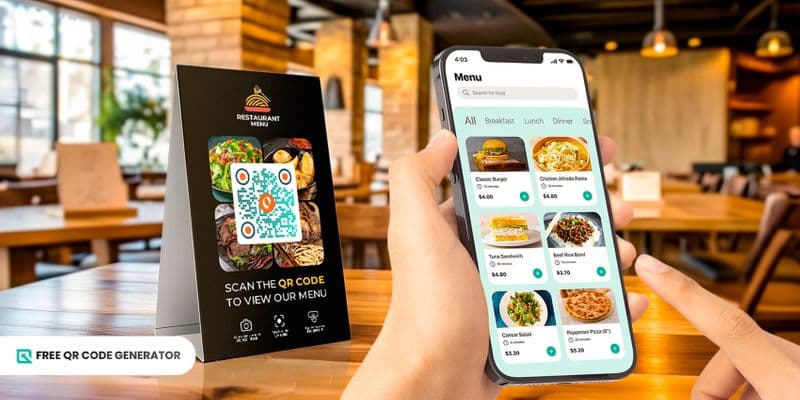
A menu QR code makes dining experiences so much better by facilitating easy order-taking and payments in just a single scan using your smartphone.
Gone are the days of flipping through hefty menus or waiting for a server to take customers’ orders.
Now, diners only have to scan a QR code to explore the menu, order, and indulge in a delicious meal.
Let Free QR Code Generator quench your curiosity about how to create and use this QR code to facilitate seamless order-taking in your restaurant. Continue reading below.
Table of Contents
What is a Menu QR code and how does it work?
A digital menu QR code is a tool that lets customers access your restaurant’s menu instantly by scanning a code with their smartphone.
Rather than handing out printed menus, you simply display a scannable QR code. When scanned, it instantly opens the digital menu for customers to view or order from.
It supports contactless digital ordering, allowing customers to view the menu and place orders conveniently without the hassle of wrestling with a bulky, physical menu.
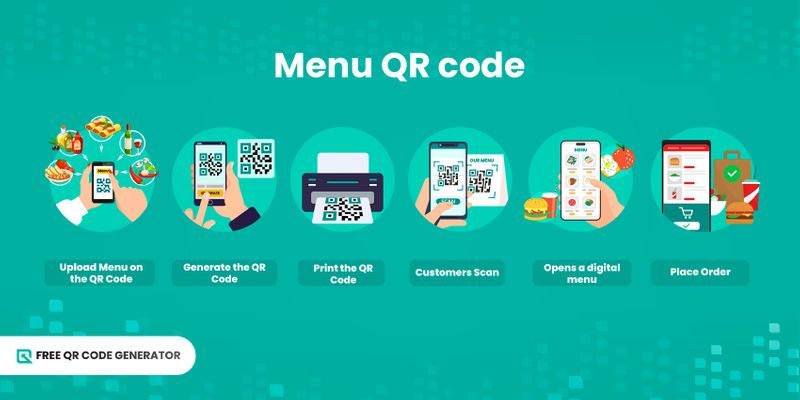
Here’s how it works:
You upload your menu online
The restaurant creates a digital version of the menu (PDF, JPG, Google Drive link, or a menu webpage). This file or link is then converted to a QR code for PDF or other formats through a QR code menu generator.
The QR code stores the menu link
The QR code menu generator converts your menu URL or file into a scannable QR code menu. If you use a dynamic QR code, you can update the menu anytime without changing the printed code.
You print and display the QR code
The contactless menu QR code can be placed on tables, counters, posters, signage, or receipts, making it easy for customers to spot and scan.
Customers scan using their smartphone camera
Most phones can detect QR codes instantly. The customer opens the camera, points it at the code, and waits for the pop-up link to appear.
The link opens the digital menu
When scanned, the lunk loads your digital menu. This could be:
- A PDF menu
- A menu webpage
- An online ordering page
- An image-based menu
Customers browse and order
After scanning, customers can view the menu, zoom for clarity, or follow order instructions. Some setups even function as a restaurant QR ordering system, allowing online ordering or payment directly through the QR code.
💡Did you know? Using a QR code for restaurant allows customers to view the menu and place orders seamlessly, enhancing convenience and reducing physical contact.
How do I create a QR code for a menu?
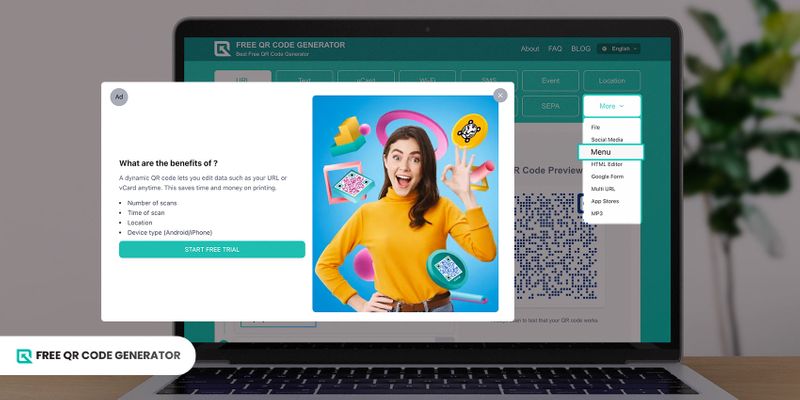
If you’re wondering how to create a QR code for a menu, it’s easier than you might think.
With a few simple steps, you can turn your digital menu into a scannable QR code that customers can access instantly. Here’s how:
1. Go to the Free QR Code Generator website.
2. Choose the Menu solution found in the More drop-down button.
3. Upload the digital menu file you want to convert into a QR code.
4. Click on the generate QR code button.
5. Customize QR code design using the available customization tools to match your branding.
6. Scan to test your QR codes for errors before deployment.
7. Download, print, and share your QR code.
🚀Additional tip: When incorporating the QR code on marketing materials, make sure to have a minimum QR code size of 2x2 cm to maintain its scannability.
Benefits of using a digital menu QR code
Using a QR code for menu offers restaurants and businesses a convenient, contactless, and cost-effective way to share menus with customers.
Beyond hygiene and convenience, it provides flexibility, customization options, and tools to enhance customer engagement and streamline operations. Here are some key benefits:
Contactless and hygienic ordering
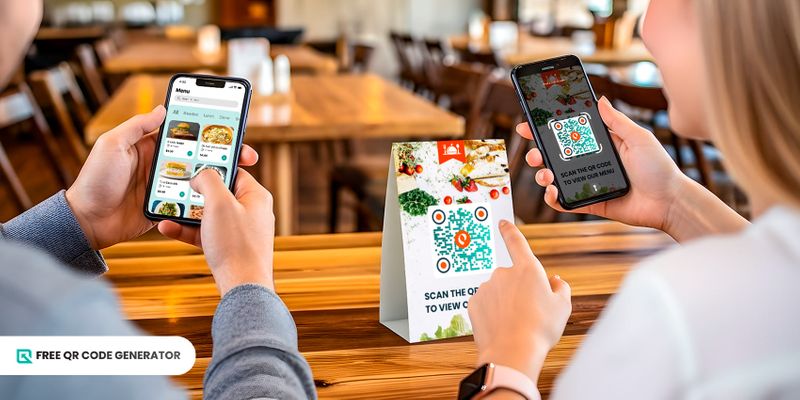
QR codes allow customers to access menus without touching physical copies, reducing contact and promoting a safer dining experience. This also enables contactless digital ordering for added convenience.
Easy updates and real-time changes
With a QR code for menu, you can instantly update items, prices, or specials without reprinting menus, keeping your offerings accurate and current. Using a QR menu template makes it easy to standardize your layout for all updates.
Enhanced customer convenience
Customers can browse the menu, zoom in on details, and place orders directly from their smartphones, providing a faster and more user-friendly experience. Integrating a QR code menu ordering system can further streamline orders and payments.
Cost-effective solution
Using a QR code maker to generate your menu QR codes eliminates the need for constant reprinting of physical menus, saving money on materials and marketing while reducing waste.
Branding and customization opportunities
QR codes can be customized with your restaurant’s logo, colors, and design elements, creating a visually appealing experience that aligns with your brand identity, including your restaurant menu QR code design.
Analytics and insights
Dynamic QR codes for menus can provide valuable insights, such as how often the menu is accessed, popular items, and customer behavior, helping you optimize your offerings.
Lift the dining experience to new heights through Free QR Code Generator
Using QR codes as portals to menus offers a dynamic and sustainable alternative, enabling restaurants to provide customers with interactive and up-to-date menu experiences.
They enable seamless order-taking, as diners simply need to scan the QR code, and they can immediately browse menus, place orders, and even make payments directly from their smartphones.
This is the tool that businesses in the food and beverage industry should take advantage of if they want to deliver exceptional service and stay ahead of the curve.
What are you waiting for? Take the leap into the future of dining by visiting our website to unlock the countless benefits that a menu QR code has to offer.
Frequently Asked Questions (FAQs)
How to scan QR code to view the menu?
Open your smartphone’s camera and point it at the QR code until a link appears on-screen. Tap the link to open the digital menu.
If the QR code doesn’t scan, use your phone’s built-in QR scanner from the Control Center or Quick Settings, or try a third-party QR scanning app. Once the link opens, you can view or zoom in on the menu as needed.
Why is my menu QR code not scanning?
Common issues include low resolution, poor lighting, a damaged printout, or an unsupported file type. Reprint the QR code in higher quality or switch to a dynamic QR code for better reliability.